Introduction
TemplateFox is a PDF generation API. Design templates visually in our editor, add dynamic variables, and generate PDFs via a simple REST API call — from any language or platform.
How it works
-
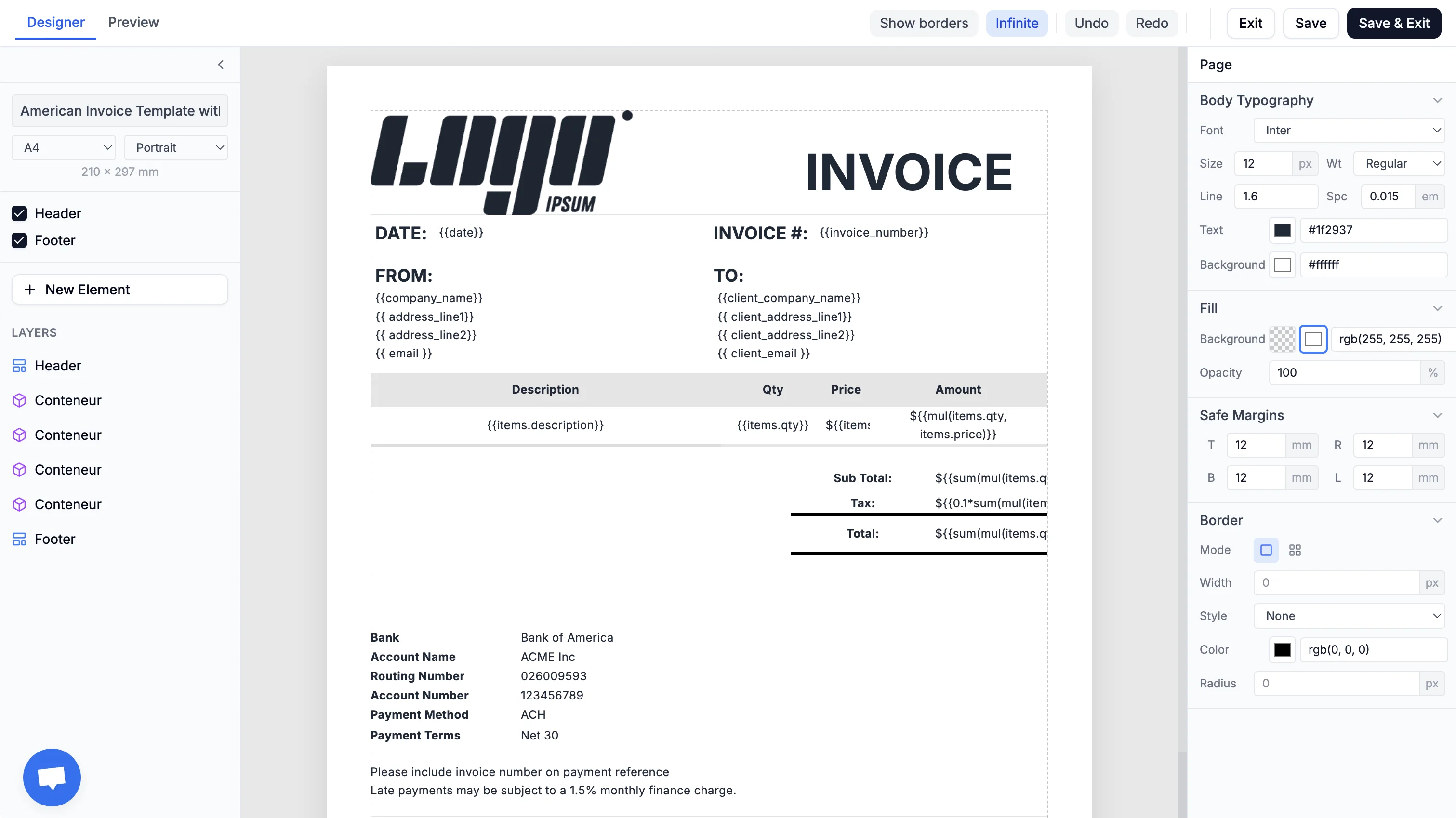
Design a template — Use the drag-and-drop editor to build your document layout. Add text, images, tables, barcodes, and QR codes. No code required.
-
Add dynamic variables — Insert placeholders like
{{customer_name}}or{{invoice_total}}anywhere in your template. Use expressions for computed values like totals and conditional logic. -
Generate PDFs — Call the REST API with your template ID and data, or trigger generation from automation tools like Zapier, Make, or n8n. Get back a PDF URL or binary in seconds.
What you can build
TemplateFox works for any document that combines a fixed layout with dynamic data — invoices, packing slips, certificates, reports, contracts, tickets, labels, and more. If you can design it in the editor and fill it with variables, you can generate it via the API.
Key features
- Visual editor — Drag-and-drop template designer with live preview
- Dynamic variables —
{{variable}}syntax for text, images, barcodes, QR codes, and tables - Expressions — Arithmetic, aggregates (
sum,sumproduct,avg), filters (round,upper), and conditionals - Auto-expanding tables — Tables grow with your data and break across pages automatically
- System variables — Built-in
{{sys.page_number}},{{sys.current_date}}, and more - Two page modes — Fixed for single-page documents, Infinite for variable-length content
- Headers & footers — Repeat on every page with page numbers, logos, dates
Next steps
- Get Started in 5 Minutes — Build and generate your first PDF
- Template Designer — Learn how to design templates in the editor
- Data Binding — How to pass dynamic data to your templates
- API Reference — Full API documentation