Turn your spreadsheet data into professional PDFs automatically. Create invoices, reports, and documents from Google Sheets or Excel.
Choose the method that best fits your workflow and technical comfort level.

Native Google Sheets and Excel modules with visual workflow builder. Best for complex automations with multiple steps.
Make.com integration guideSimple trigger-action workflows. Connect Google Sheets directly to TemplateFox with our native Zapier integration.

Zapier integration guideUse Google Apps Script or Power Automate to call our API directly. Full control for custom integrations.
REST API documentation
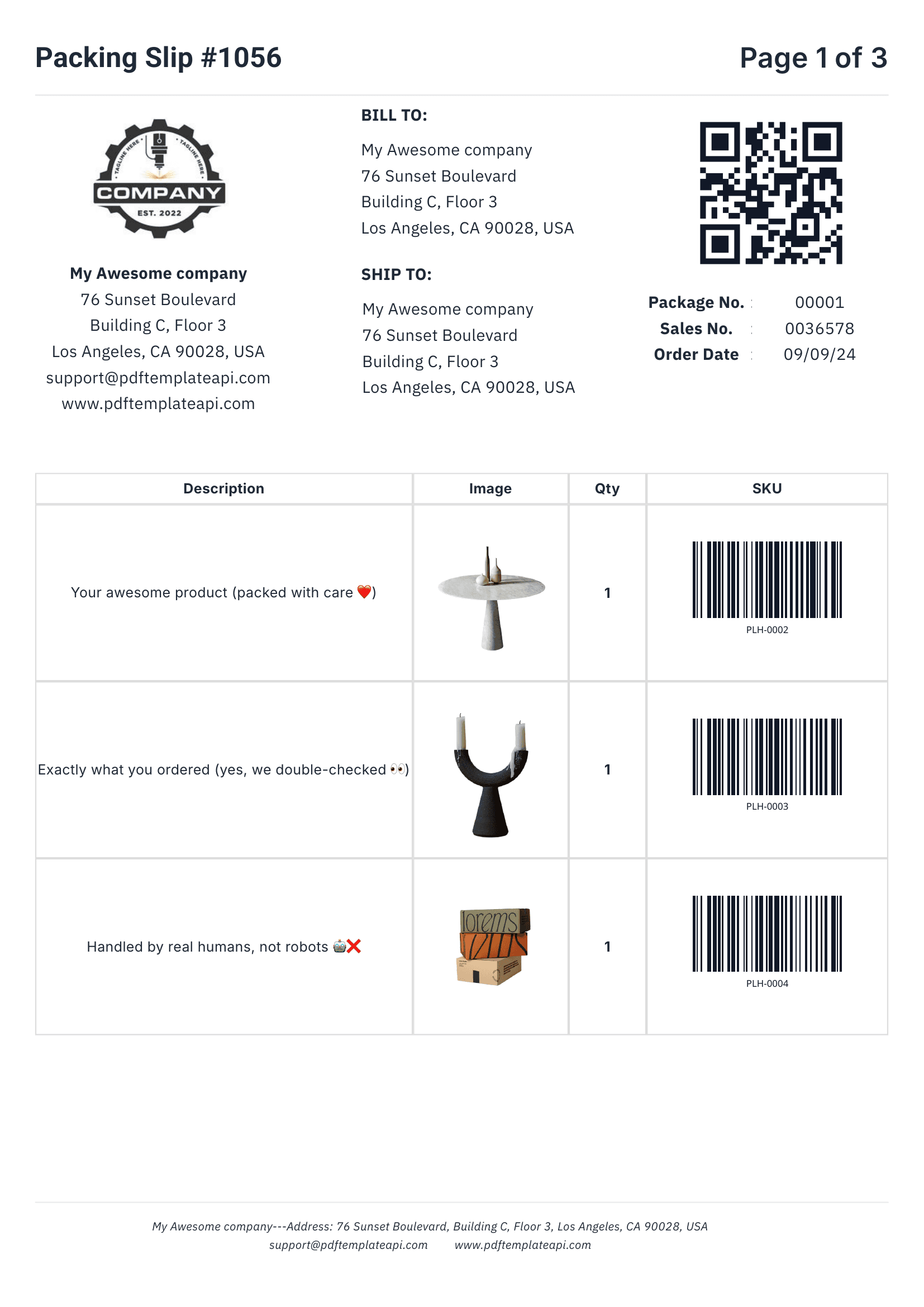
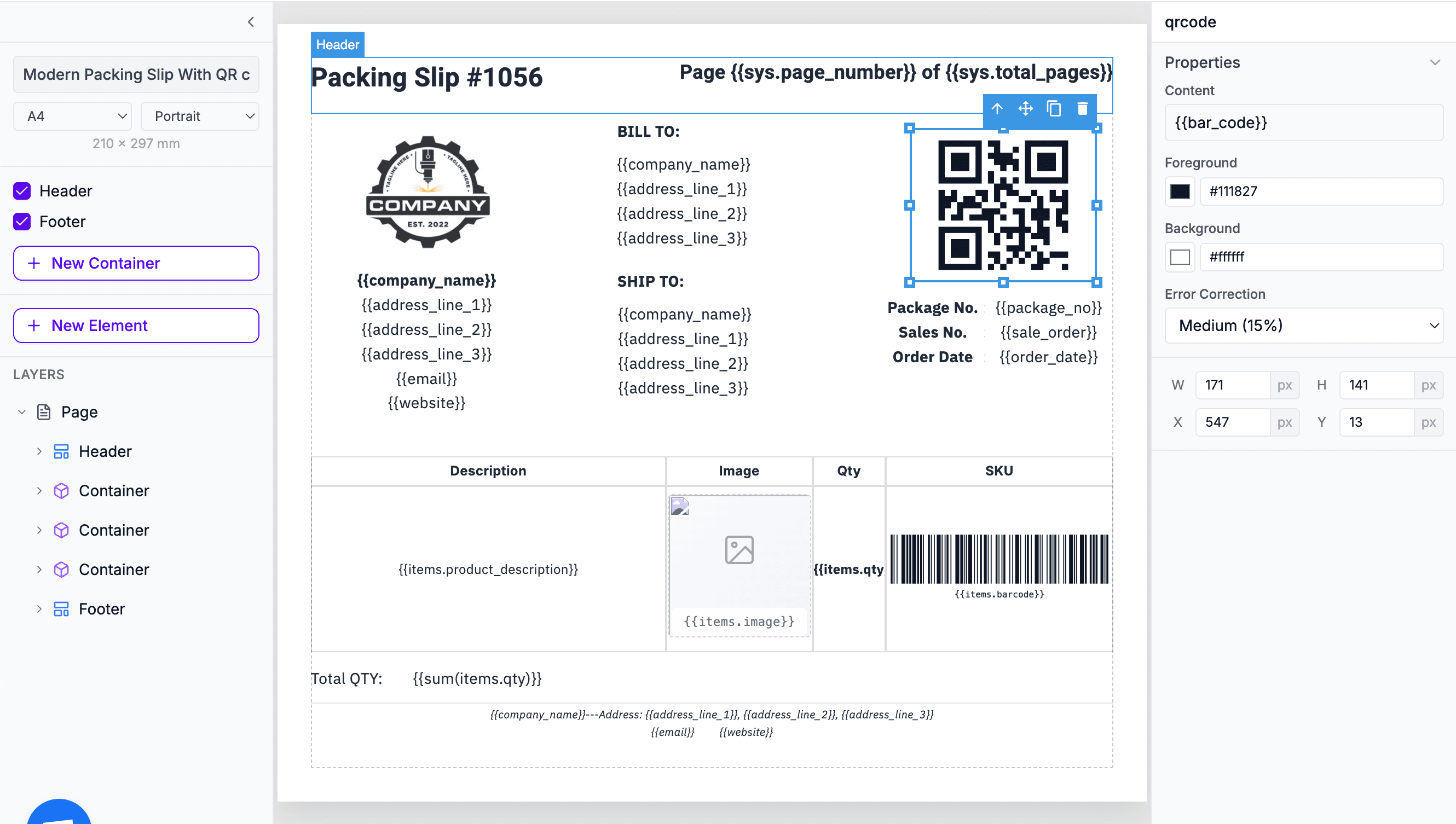
Everything you need to create professional business documents, from invoices to packing slips.
Define once, repeat on every page automatically. Perfect for logos, page numbers, and legal mentions.
Inject any data into your templates. Names, addresses, prices, etc. — everything updates automatically.
Rows grow automatically with your data. 3 items or 300, the table adapts and spans multiple pages if needed.
Generated on the fly from your data. Supports Code128, EAN-13, QR codes and more — all scanner-ready.
60 free PDFs/month
Go beyond simple placeholders. Use expressions to format, calculate, and control your content.
Access page numbers, total pages, and current date and more automatically with {{sys.page_number}} and friends.
Fine-tune content, borders, colors, sizes, positions, and more. Each element has its own properties panel.
Format dates, calculate totals, round numbers, and more. Use 100+ built-in functions or create your own.
No credit card required

Save your generated PDFs directly to Amazon S3 or any S3-compatible storage (Cloudflare R2, MinIO, DigitalOcean Spaces). Store PDFs in your own infrastructure instead of temporary URLs.
Learn how to bring your own storageGoogle Sheets and Excel are great for simple tabular data. Here's how to decide.
We're working on adding direct PDF generation from Google Sheets to our Chrome extension, plus ready-to-use Google Apps Scripts. Request this feature to help us prioritize!
{{column_name}}. When setting up your automation, map each column from your spreadsheet to the corresponding template variable. Column headers become your variable names.Complete documentation, no-code integrations, and a powerful API to help you generate PDFs at scale. Let us handle the boring stuff.