Automate PDF Generation
with Make
Make is great for complex workflows — iteration, conditional logic, bulk processing. We'll show you how to connect TemplateFox and generate PDFs at scale.

Make is great for complex workflows — iteration, conditional logic, bulk processing. We'll show you how to connect TemplateFox and generate PDFs at scale.
Design a template, connect it in Make, let it handle the rest.
Use our drag-and-drop editor and add dynamic fields like {{name}} or {{barcode:sku}}.
Add TemplateFox as an HTTP module in your scenario. Map fields from your trigger to your template variables.
Get your PDF instantly via sync response, webhook, or directly uploaded to your S3 bucket.
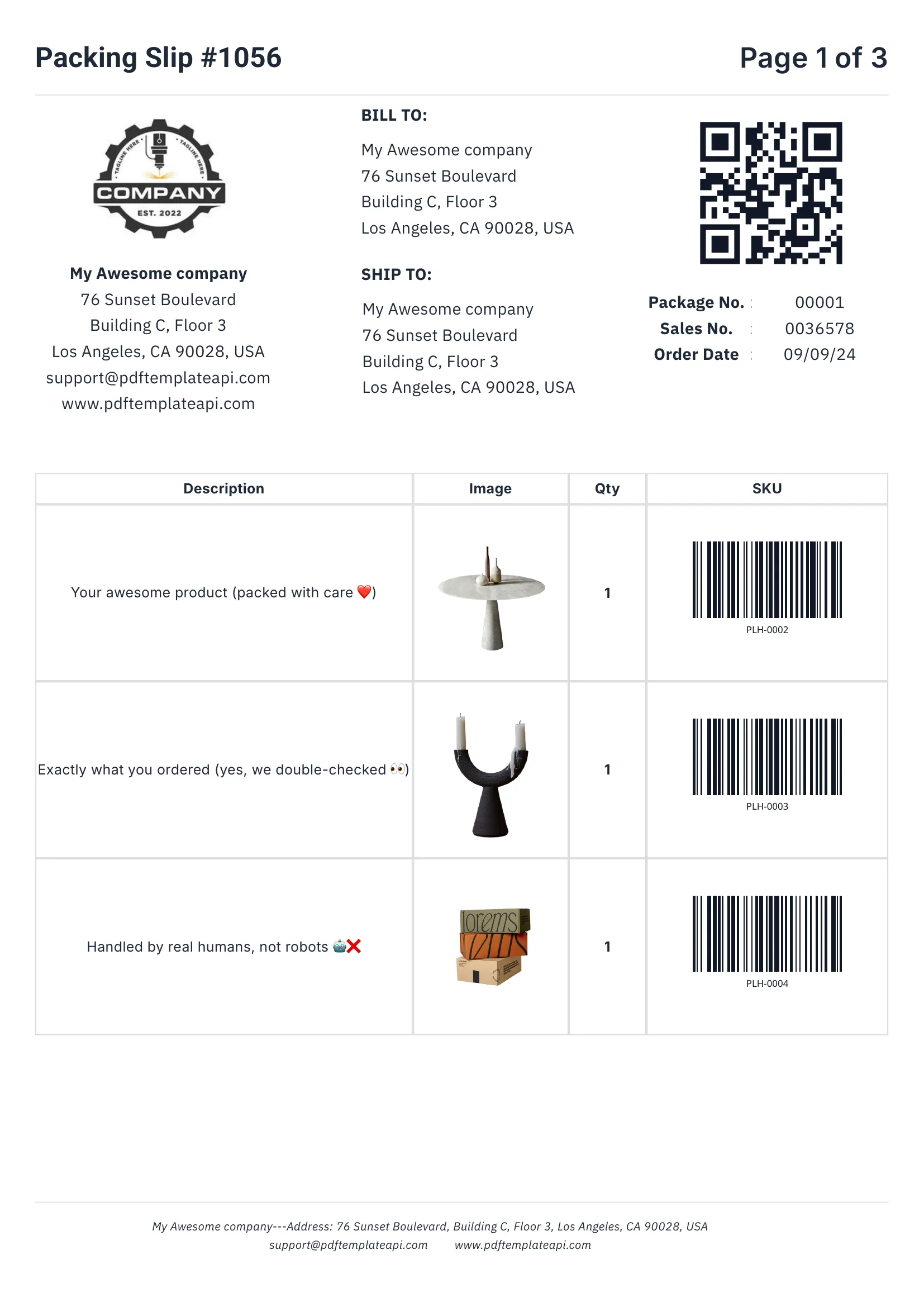
Everything you need to create professional business documents, from invoices to packing slips.
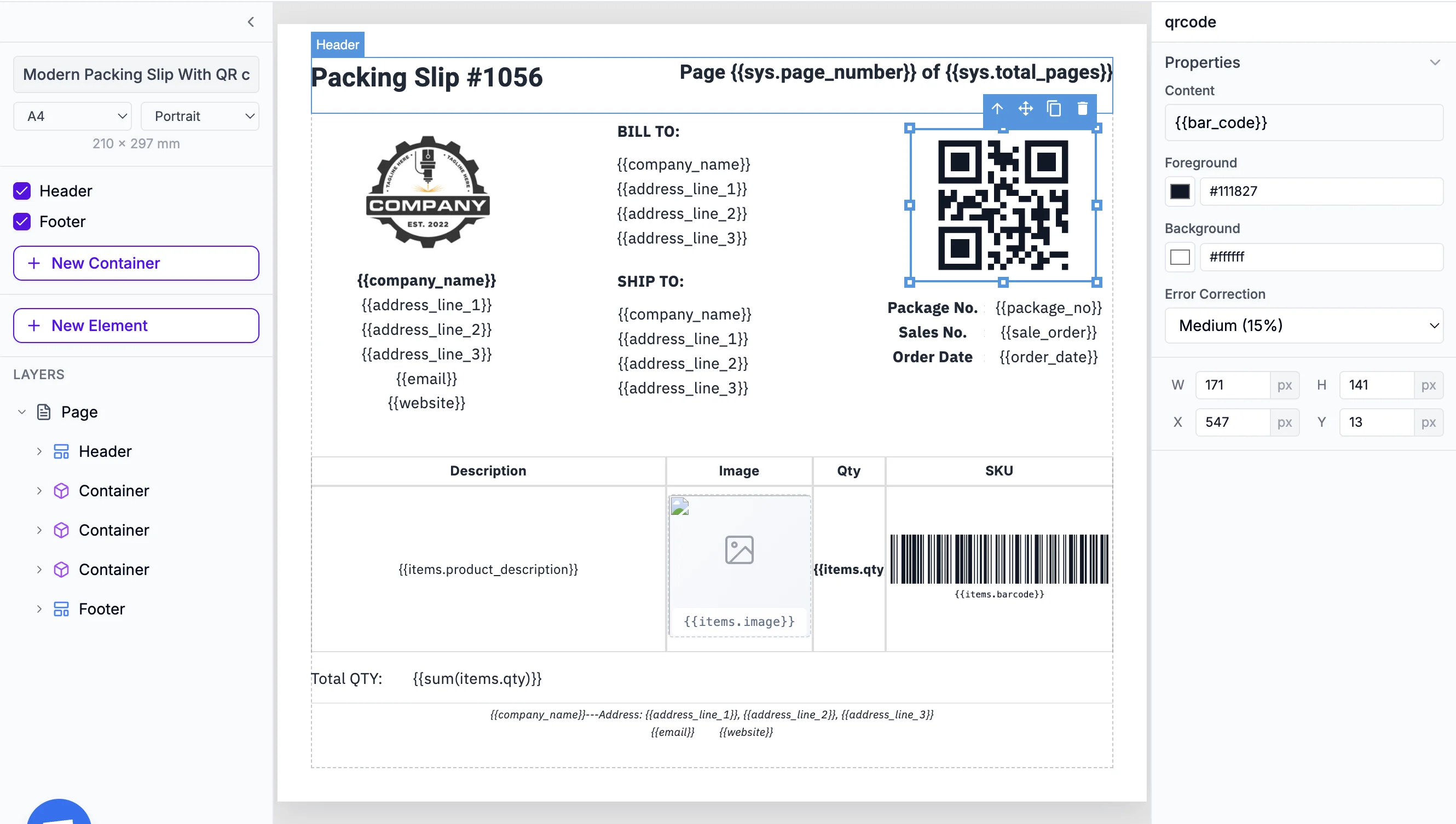
Define once, repeat on every page automatically. Perfect for logos, page numbers, and legal mentions.
Inject any data into your templates. Names, addresses, prices, etc. — everything updates automatically.
Rows grow automatically with your data. 3 items or 300, the table adapts and spans multiple pages if needed.
Generated on the fly from your data. Supports Code128, EAN-13, QR codes and more — all scanner-ready.
60 free PDFs/month
Go beyond simple placeholders. Use expressions to format, calculate, and control your content.
Access page numbers, total pages, and current date and more automatically with {{sys.page_number}} and friends.
Fine-tune content, borders, colors, sizes, positions, and more. Each element has its own properties panel.
Format dates, calculate totals, round numbers, and more. Use 100+ built-in functions or create your own.
No credit card required
See what you can automate with Make and TemplateFox.
Save your generated PDFs directly to Amazon S3 or any S3-compatible storage (Cloudflare R2, MinIO, DigitalOcean Spaces). No extra Make modules needed.
Learn how to bring your own storageMake excels at complex workflows with iteration. Here's how to decide.
Complete documentation, no-code integrations, and a powerful API to help you generate PDFs at scale. Let us handle the boring stuff.