REST API for
PDF Generation

Simple HTTP API. Send JSON, get a PDF URL. Works with any language. Official SDKs for TypeScript, Python, Go, PHP, Ruby, Java, and C#.

Your Code
TemplateFox
PDF

Use the language you love

Send simple HTTP requests or use native libraries for your language of choice.

npm install @templatefox/sdk
Loading...
Precision Engineering
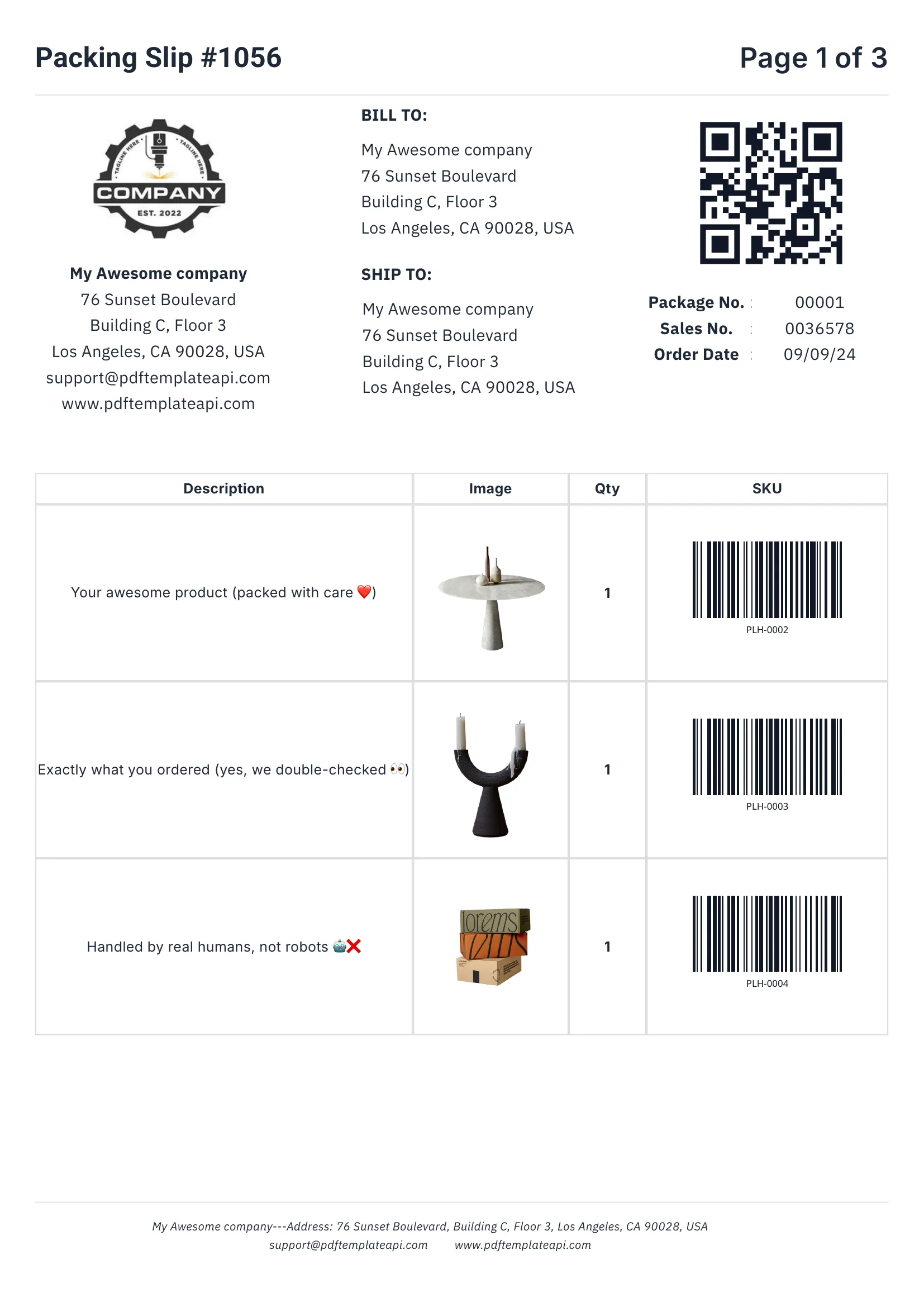
PDF template example - Packing Slip
1
2
3
4

Built for real-world documents

Everything you need to create professional business documents, from invoices to packing slips.

1

Headers & footers that just work

Define once, repeat on every page automatically. Perfect for logos, page numbers, and legal mentions.

2

Dynamic data binding

Inject any data into your templates. Names, addresses, prices, etc. — everything updates automatically.

3

Tables that grow with your data

Rows grow automatically with your data. 3 items or 300, the table adapts and spans multiple pages if needed.

4

Built-in QR codes & barcodes

Generated on the fly from your data. Supports Code128, EAN-13, QR codes and more — all scanner-ready.

Try it free

60 free PDFs/month
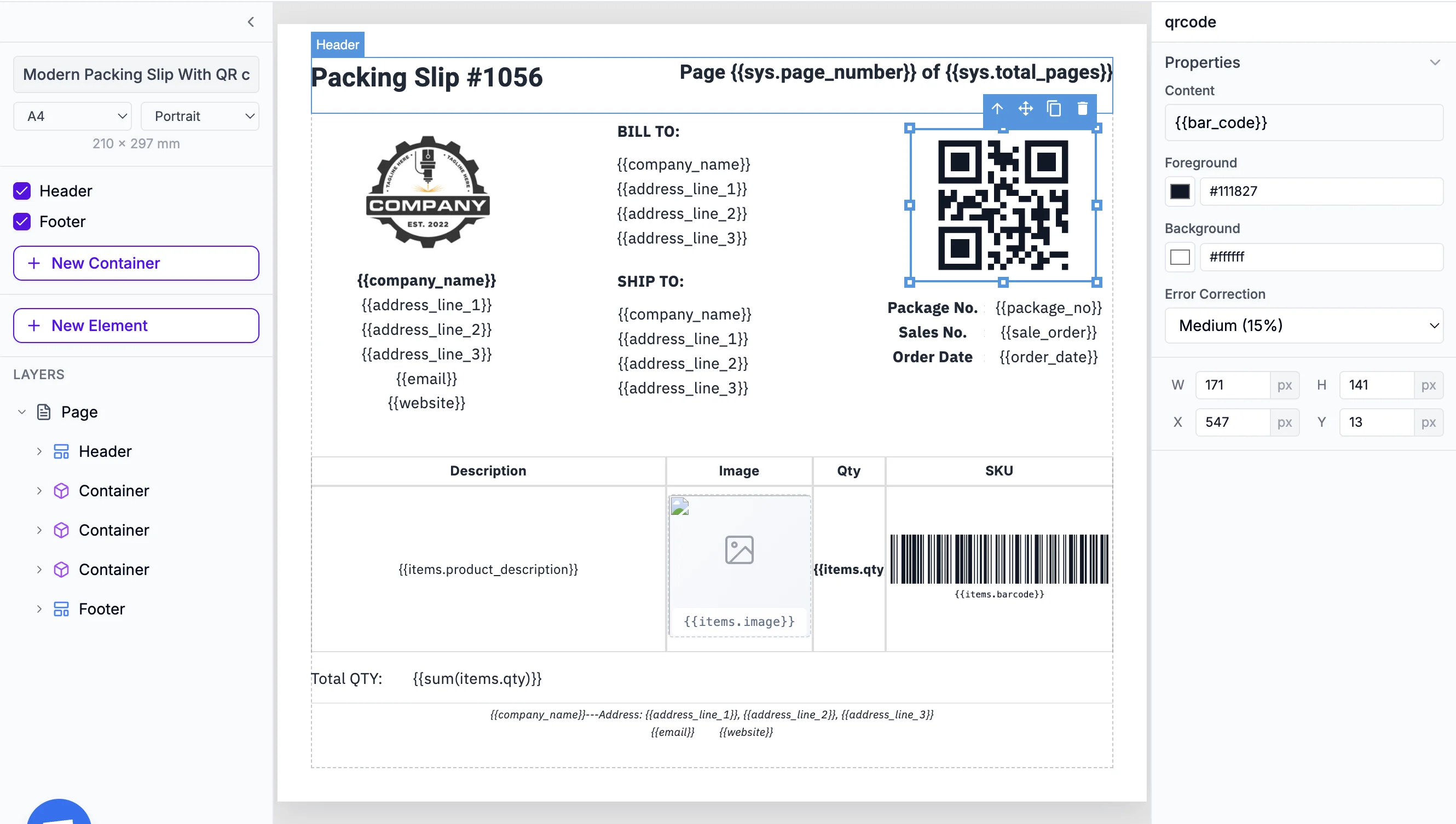
Easy to use

Documents that adapt to your data

Go beyond simple placeholders. Use expressions to format, calculate, and control your content.

1

Use system variables

Access page numbers, total pages, and current date and more automatically with {{sys.page_number}} and friends.

2

Customize every component

Fine-tune content, borders, colors, sizes, positions, and more. Each element has its own properties panel.

3

Built-in functions

Format dates, calculate totals, round numbers, and more. Use 100+ built-in functions or create your own.

Start building

No credit card required

Template editor with expressions
1
2
3
Cloud storage

Built-in S3 Integration

Save your generated PDFs directly to Amazon S3 or any S3-compatible storage (Cloudflare R2, MinIO, DigitalOcean Spaces). Just add your S3 credentials to the API request.

Learn how to bring your own storage

Is the REST API right for you?

The REST API gives you full control. Here's how to decide.

Recommended

Use REST API if you need:

  • Full control over API integration
  • Any programming language or platform
  • Production applications at scale
  • Custom authentication and error handling

Or consider:

SDKs
  • Type-safe development
  • Faster implementation
No-Code Tools
  • No coding required
  • Visual workflow builders

Frequently asked questions

How do I authenticate with the REST API?

Get your API key from your Dashboard. Include it in every request as a header: X-API-Key: your-api-key. All requests must be made over HTTPS.

What programming languages are supported?

The REST API works with any language that can make HTTP requests. We also provide official SDKs for TypeScript/JavaScript, Python, Go, PHP, Ruby, Java, and C#. These SDKs handle authentication, error handling, and provide type-safe interfaces.

What's the difference between the REST API and SDKs?

The REST API is the underlying HTTP interface — you can use it with any language via HTTP requests. SDKs are language-specific libraries that wrap the REST API, providing type safety, better IDE support, and handling common patterns like retries and error handling.

How fast is PDF generation?

Most PDFs generate in under 2 seconds. The API returns a JSON response with the PDF URL immediately. For complex templates or large documents, generation may take slightly longer. Consider async/webhook patterns for production workloads.

What are the rate limits?

The free tier allows 60 PDFs per month. Paid plans have higher limits based on your subscription. Requests are rate-limited to 60 per minute by default. Contact us for enterprise rate limits if you need higher throughput.

How long are generated PDFs available?

By default, PDF URLs are valid for 24 hours. You can configure S3 integration to store PDFs permanently in your own storage, or use webhooks to download PDFs immediately after generation.

Can I generate images as well as PDFs?

Yes! Set the output format to 'png' in your request to generate images instead of PDFs. This is perfect for thumbnails, social media graphics, or any use case where you need image output.

How do I handle errors?

The API returns standard HTTP status codes: 200 for success, 400 for bad requests, 401 for auth errors, 404 for not found, and 500 for server errors. Each error response includes a message explaining the issue. Our SDKs throw typed exceptions for easier error handling.

Is there a sandbox or test environment?

Your API key works in both development and production. We recommend creating separate templates for testing. Each PDF generation uses one credit from your account, including test requests. You can also use our Postman collection to explore all endpoints before writing code.

Automate your PDF generation

Complete documentation, no-code integrations, and a powerful API to help you generate PDFs at scale. Let us handle the boring stuff.
