
n8n Tutorial

Automate Receipts with n8n

AI extracts payment details from emails or forms. Generate professional PDF receipts and send them automatically.

Vincent Ventalon
Vincent Ventalon
·Updated
TemplateFox

About the TemplateFox Node

The official TemplateFox community node for n8n lets you generate PDFs from templates with dynamic data. Works synchronously — returns the PDF URL immediately. Compatible with n8n AI Agents.

Why automate receipts?

Client emails asking for a receipt. You copy-paste details into a template, export PDF, attach to email, send. Repeat for every payment. It adds up.

With n8n + AI, receipts generate automatically. AI extracts payment details from any source, TemplateFox generates the PDF, email sends. No manual work.

The workflow: trigger (email/form/webhook) → AI extracts details → PDF generates → email sends.

1

Choose a template

Pick a receipt template. The Service Receipt works for consulting, freelance, or any service-based business.
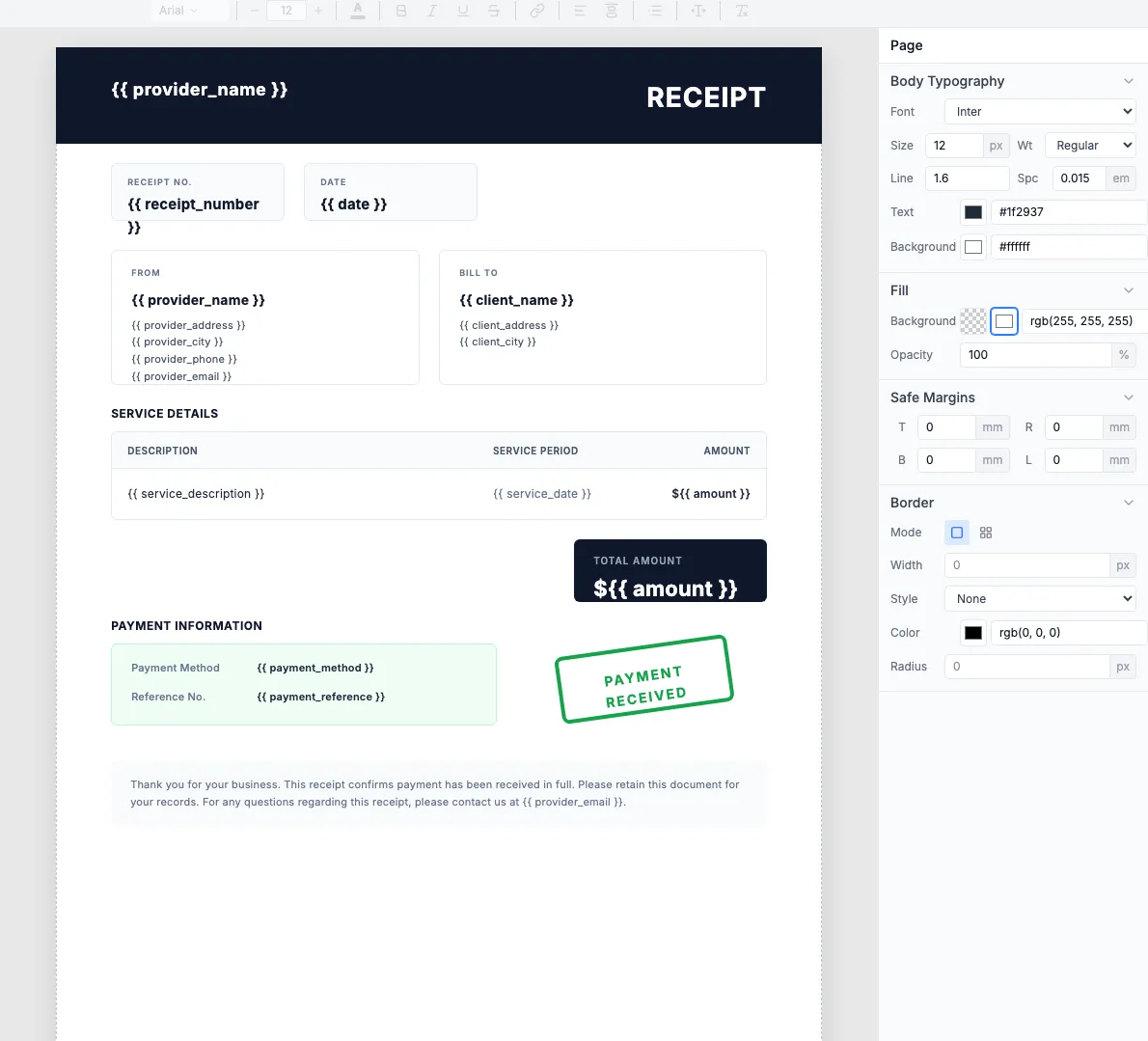
Service Receipt template in the TemplateFox editor
2

Build the workflow

Email/FormAI AgentTemplateFoxEmail to Client

2.1 — Trigger

Choose your trigger based on where payment info comes from:

Email Trigger

IMAP or Gmail trigger. Client emails payment details, AI extracts from body.

Webhook

Stripe webhook, form submission, or any HTTP POST with payment data.

2.2 — AI extraction

Add an AI Agent node. Prompt it to extract the fields your template needs:

Extract receipt details from: {{ $json.body }}
Return JSON with: client_name, client_address,
amount, service_description, service_date, payment_method

Skip this step if your trigger already provides structured data (e.g., Stripe webhook).

2.3 — Generate PDF

Add the TemplateFox node. Map the extracted fields to your template:
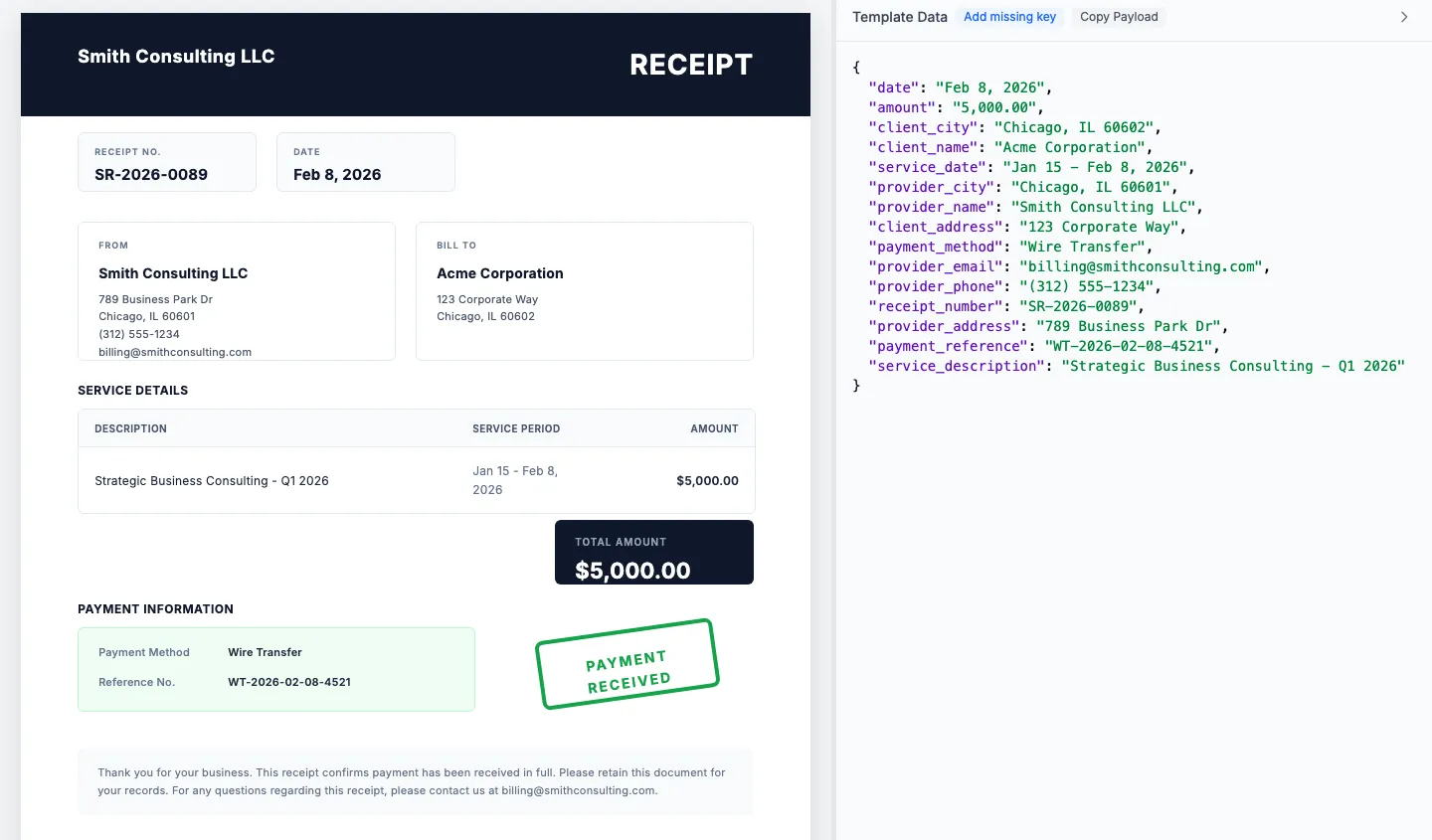
Generated receipt PDF preview

2.4 — Send email

Add a Send Email node. Attach the PDF from TemplateFox.

Done. Receipts generate and send automatically. No manual work.

Supported triggers

Any n8n trigger works. Common ones:

G
Gmail
S
Stripe
W
Webhook
T
Typeform
A
Airtable
N
Notion

Frequently asked questions

Can AI extract details from unstructured emails?

Yes. LLMs parse text like "paid $500 for consulting last Tuesday" into structured data: amount=$500, date=calculated, service=consulting.

What triggers can I use?

Email (IMAP/Gmail), webhooks, form submissions (Typeform, Google Forms), or any n8n trigger. The AI Agent handles extraction regardless of source format.

Can I route to different templates?

Yes. Use a Switch node after AI extraction to route based on service type, amount, or client. Each branch can use a different receipt template.

What does this automation cost?

n8n self-hosted is free. TemplateFox offers 60 free PDFs per month. View pricing.

Can I store receipts automatically?

Yes. Add a Google Drive, Dropbox, or S3 node after PDF generation. Store receipts organized by client or date for easy retrieval.

Automate your PDF generation

Complete documentation, no-code integrations, and a powerful API to help you generate PDFs at scale. Let us handle the boring stuff.