The problem
When someone donates to your nonprofit, they need a receipt for their taxes. The IRS has specific requirements for tax-deductible contributions, and getting it wrong can cause problems for both you and your donors.
Many nonprofits manually create receipts in Word or their CRM, then email them one by one. During giving season (November-December), this becomes overwhelming. Year-end summaries? Even more time-consuming.
The solution: Create an IRS-compliant receipt template once in TemplateFox, connect it to your nonprofit CRM via Make, and automatically send professional receipts after every donation.
Understand IRS requirements
Before building your automation, you need to understand what makes a donation receipt legally valid for tax purposes. Getting this wrong means your donors can't claim their deductions.
1.1 — The $250 threshold rule
The IRS treats donations differently based on amount:
📝Under $250
- Bank statement or canceled check is sufficient
- Written receipt recommended but not required
- Donor can use their own records
📋$250 or more
- Written acknowledgment required
- Must be from the organization
- Must be received before filing taxes
- Specific content requirements (see 1.3)
Best practice: Send receipts for all donations, regardless of amount. It builds trust, provides better records, and ensures compliance if amounts change.
1.2 — Quid pro quo contributions
When donors receive something in exchange for their donation, special rules apply. This is called a "quid pro quo contribution."
Example: Charity Gala
For quid pro quo contributions over $75, your receipt must:
- State that goods or services were provided
- Provide a good faith estimate of their fair market value
- Show the tax-deductible portion
Exception: Token items (mugs, t-shirts) with value under $12.95 (2024) don't need to be disclosed if the donation is $64.75 or more.
1.3 — Required elements for $250+ donations
Every donation receipt for $250 or more must include these elements:
Organization name
Legal name as registered with the IRS
Amount of cash contribution
Or description of non-cash contribution
Date of contribution
When the donation was received
Goods/services statement
Whether any were provided, and their value if so
Recommended additions
- • EIN (Tax ID number) — Helps donors verify your 501(c)(3) status
- • Receipt/confirmation number — For record-keeping
- • Donor's name and address — Confirms identity
- • Tax-deductibility statement — Standard legal language
Set up the template
2.1 — Choose a template
Start with our pre-built donation receipt template designed for 501(c)(3) compliance:
- Go to Templates
- Filter by Receipt category
- Choose Donation Receipt
- Click Use Template to add it to your dashboard
Available donation templates
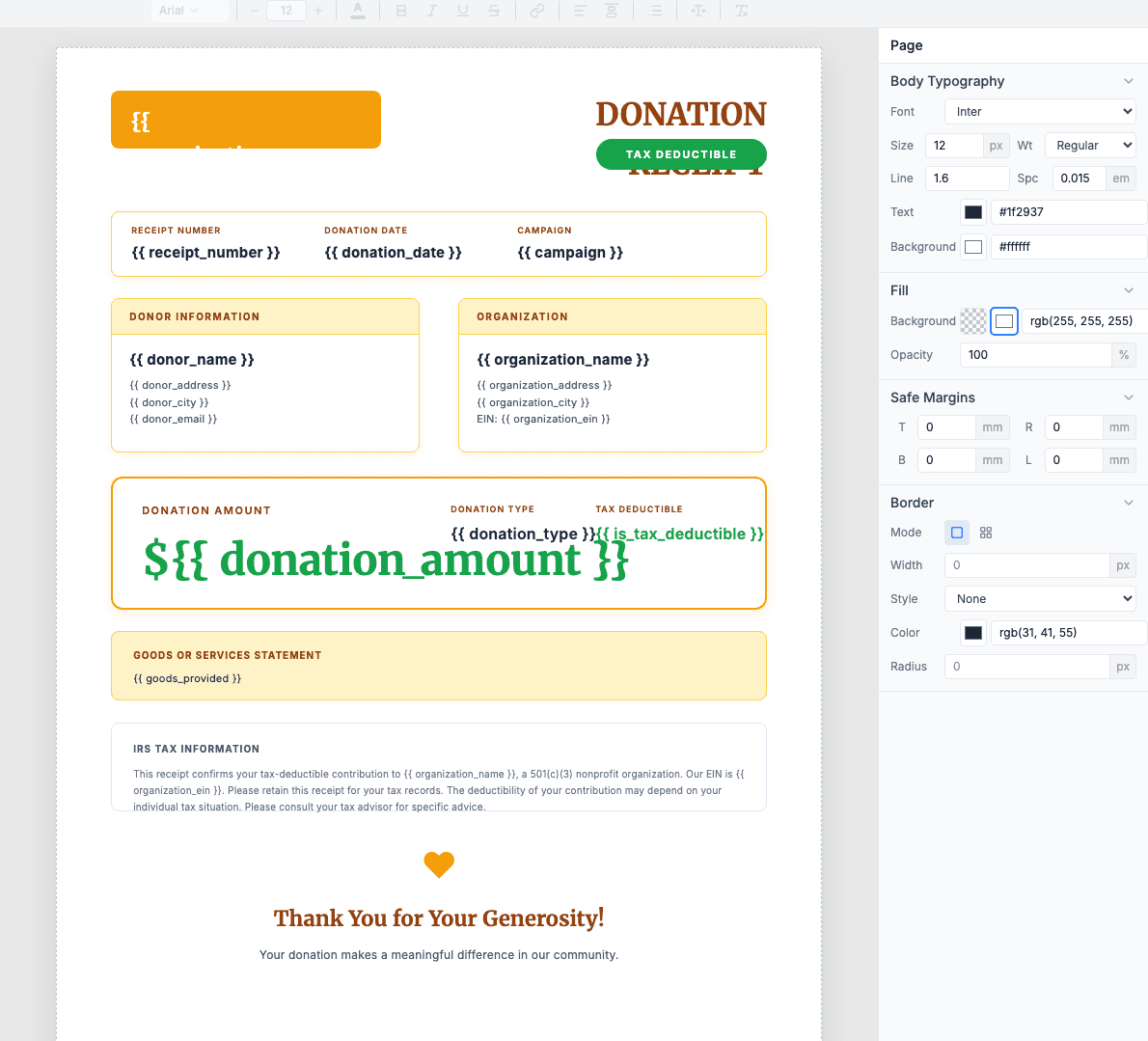
This tutorial uses the Nonprofit Tax-Deductible Donation Receipt template.
2.2 — Required fields
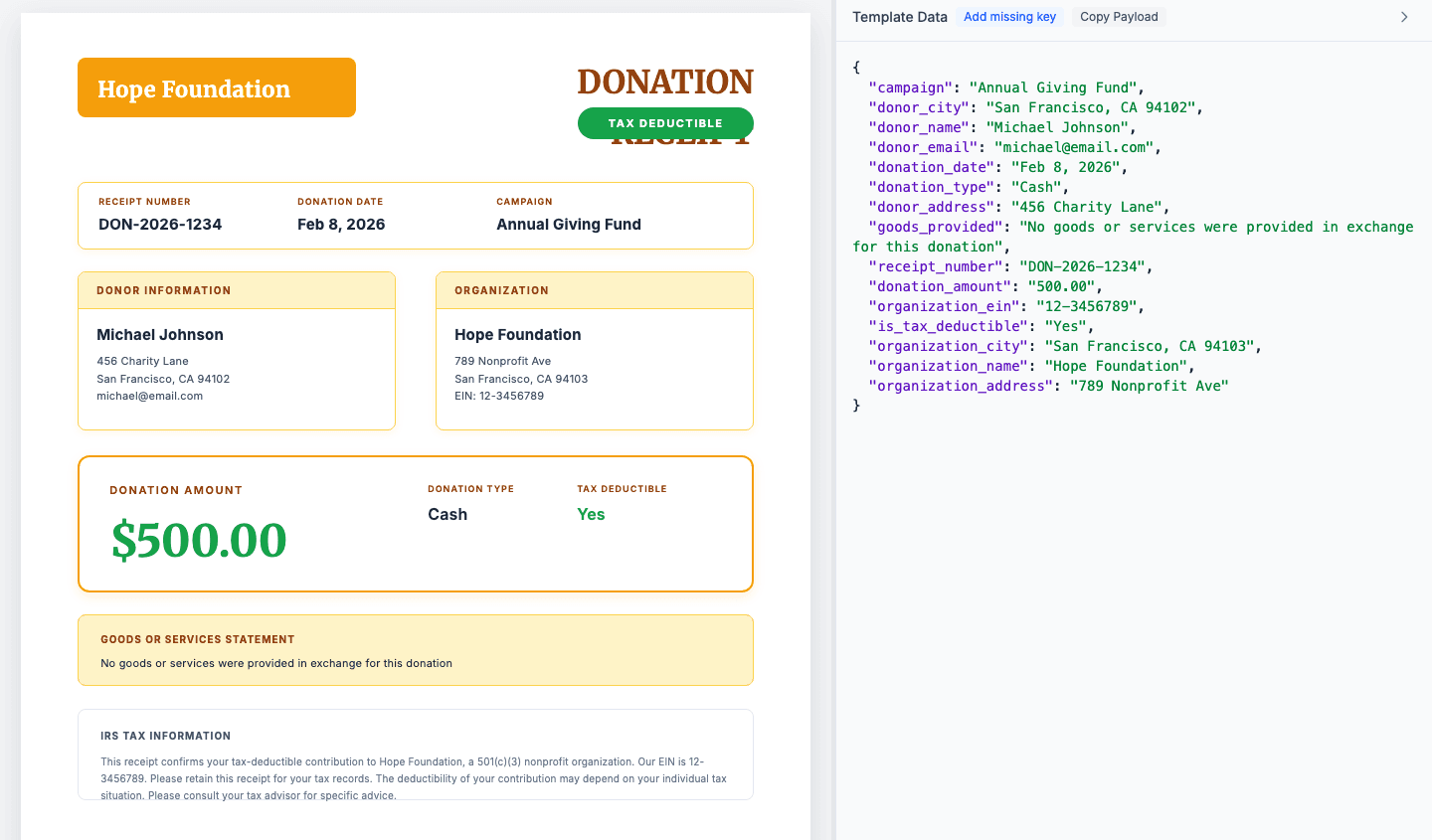
The template includes all IRS-required fields plus recommended additions:
Hardcode once (your nonprofit)
org_name— Legal organization nameorg_ein— EIN/Tax ID (XX-XXXXXXX)org_address— Mailing addressorg_phone— Contact number
Edit these directly in the template — they stay the same for every receipt.
Dynamic from Make (per donation)
receipt_number— Unique IDdonation_date— When receiveddonor_name— Full namedonor_address— Mailing addressamount— Donation amountpayment_method— Card/Check/etc.
Map these from your CRM in Make.
Quid pro quo fields (for events/benefits)
2.3 — Legal language
Include these required statements in your template:
501(c)(3) Status Statement
"[Organization Name] is a 501(c)(3) nonprofit organization. Your donation is tax-deductible to the extent allowed by law. EIN: XX-XXXXXXX"
No Goods/Services Statement (for standard donations)
"No goods or services were provided in exchange for this contribution."
Goods/Services Statement (for events/benefits)
"In exchange for your contribution, you received [description] with an estimated fair market value of $[amount]. The tax-deductible portion of your gift is $[deductible_amount]."
Tip: Use conditional logic in your template to show the appropriate statement based on whether benefit_value is greater than zero.
Connect your nonprofit CRM
Make integrates with most nonprofit CRMs and donation platforms. Here's how to connect the most popular options:
3.1 — Bloomerang
Bloomerang
Trigger: New Transaction
Key fields:
- •
Transaction ID→ receipt number - •
Constituent Name→ donor name - •
Amount→ donation amount - •
Date→ donation date - •
Payment Method→ card/check/etc.
- In Make, search for Bloomerang
- Select Watch Transactions trigger
- Connect your Bloomerang account
- Optionally filter by transaction type (Donation only)
3.2 — Donorbox / Stripe
Most donation platforms (Donorbox, Give Lively, Classy) use Stripe for payment processing. You can trigger receipts directly from Stripe:
Stripe
Trigger: Payment Intent Succeeded
Key fields:
- •
ID→ receipt number (pi_xxx) - •
Customer Name→ donor name - •
Amount→ donation (in cents!) - •
Created→ donation date - •
Receipt Email→ donor email
Converting Stripe amounts from cents
Stripe sends amounts in cents (5000 = $50.00). Add a Math module before TemplateFoxto divide by 100.
3.3 — Other nonprofit CRMs
The same workflow works with any CRM that has a Make integration:
No Make integration? Use Webhooks. Most CRMs can send a webhook when a donation is received — connect it to Make's webhook trigger.
Build the Make scenario
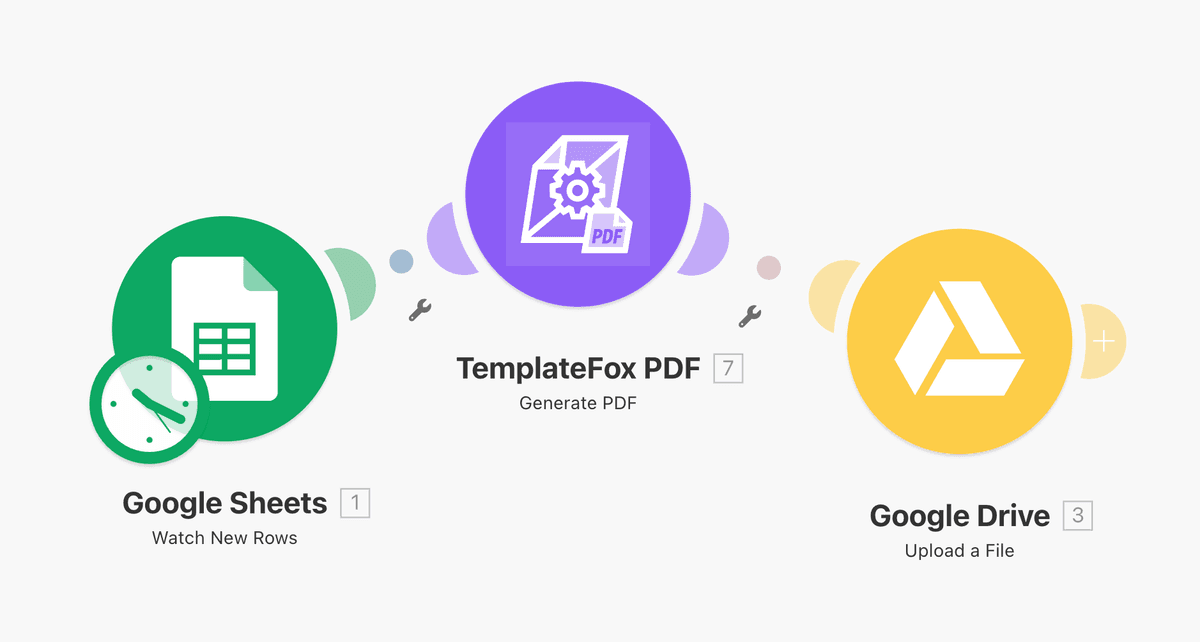
Now connect everything in Make. We'll build two scenarios: real-time receipts for immediate acknowledgment, and batch processing for year-end summaries.
4.1 — Real-time receipt generation
Send a receipt immediately after each donation:
Add your CRM trigger
Bloomerang "Watch Transactions" or Stripe "Payment Intent Succeeded"
Add HTTP module for TemplateFox
POST to https://api.pdftemplateapi.com/v1/pdf
Configure the request
Set headers and map CRM fields to template variables
Add email action
Gmail/SMTP to send the receipt PDF to the donor
View example HTTP request body
Done! Every time a donation comes in, the donor automatically gets a professional, IRS-compliant receipt in their inbox.
4.2 — Year-end batch processing
Generate annual summaries in January showing all donations for the tax year:
Add a scheduled trigger
Run once on January 15th (or your preferred date)
Query your CRM for donors
Get all unique donors with donations in the previous year
Add Iterator module
Process each donor one at a time
Query donations for each donor
Get all their donations from the previous year
Add Aggregator module
Sum donations and build line items array
Generate PDF with line items
Use year-end summary template with donation table
Email to donor
Send with subject "Your 2024 Donation Summary"
Make's advantage: The Iterator and Aggregator modules make batch processing simple — something that's harder to do in Zapier.
