

About the TemplateFox Node
The official TemplateFox community node for n8n lets you generate PDFs from templates with dynamic data. Works synchronously — returns the PDF URL immediately. Compatible with n8n AI Agents.
Why automate shipping?
New order comes in. You need a shipping label and a packing slip. But wait — customer added a note: "This is a gift, please don't include prices." Now you need the packing slip without prices. And one item is a glass vase, so you add fragile handling.
These edge cases multiply. An AI agent can read every order, detect gift messages, identify fragile items, and adjust the output accordingly. Both documents generate in parallel and land in the warehouse inbox.
Here's what we're building: order triggers workflow → AI analyzes order → generates packing slip + shipping label in parallel → sends to warehouse.
Set up templates
You'll need two templates:
Shipping Label
Sender/recipient addresses, tracking barcode, order ID, weight/dimensions, handling remarks.
Use this shipping label template →Packing Slip
Line items with/without prices, customer note, gift message (if applicable), picking checkboxes.
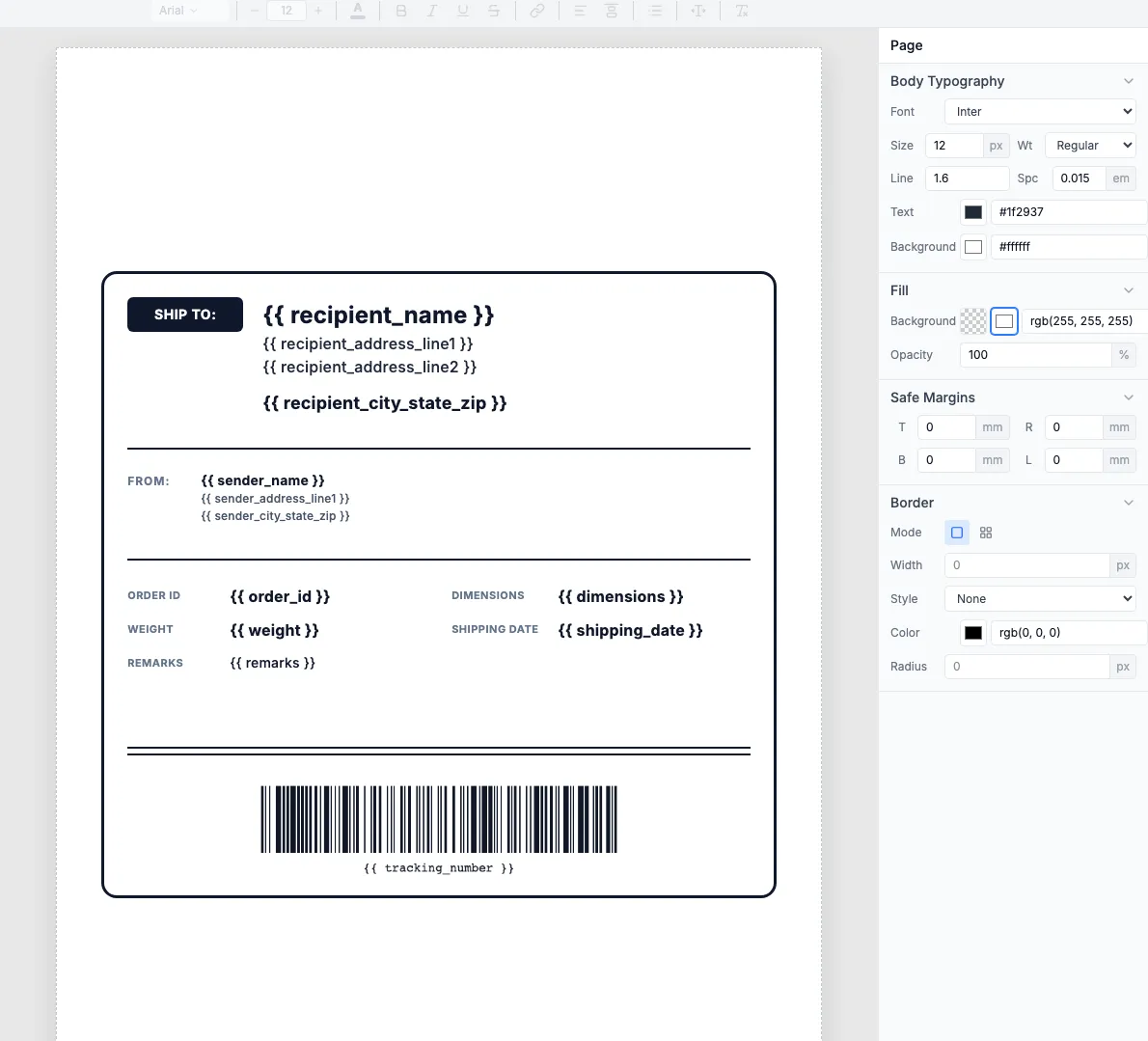
Browse packing slip templates →The shipping label template includes fields for sender/recipient, tracking barcode, weight, and handling remarks:
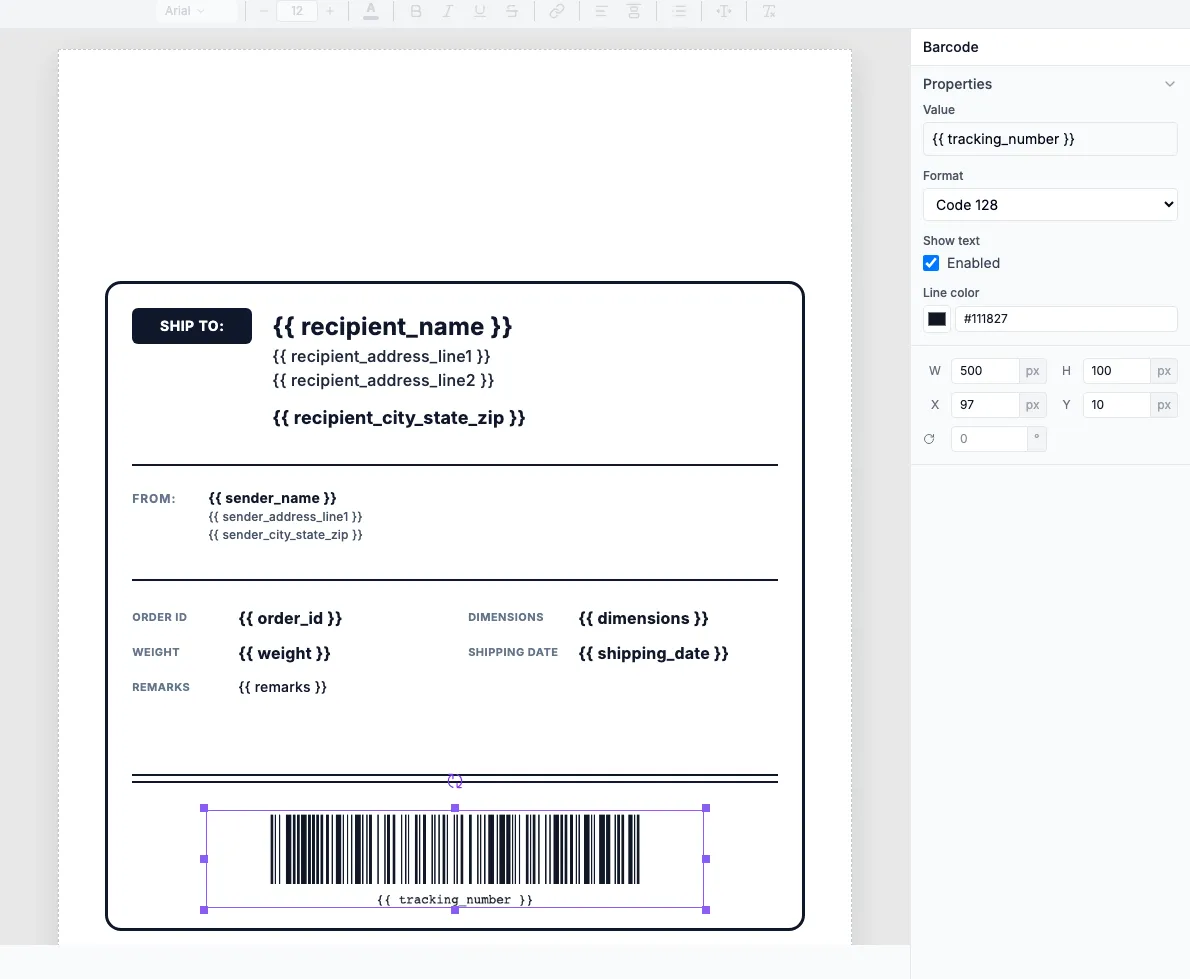
The barcode component generates a Code 128 barcode from the {{ tracking_number }} field:
Tip: Create a "gift" variant of your packing slip that excludes prices. The AI routes gift orders to this template.
Build the workflow
2.1 — Order trigger
Add a Shopify Trigger (or WooCommerce, BigCommerce, webhook):
- Event:
orders/createororders/paid - Includes: customer info, shipping address, line items, order notes
2.2 — AI order analysis
Add an AI Agent to analyze the order:
2.3 — Parallel PDF generation
Add two TemplateFox nodes in parallel (use n8n's parallel execution):
Packing Slip Node
- • Route to "gift" template if
is_gift - • Include/exclude prices based on gift status
- • Add customer note to slip
Shipping Label Node
- • Add "FRAGILE" to remarks if
is_fragile - • Include handling notes from AI
- • Generate tracking barcode
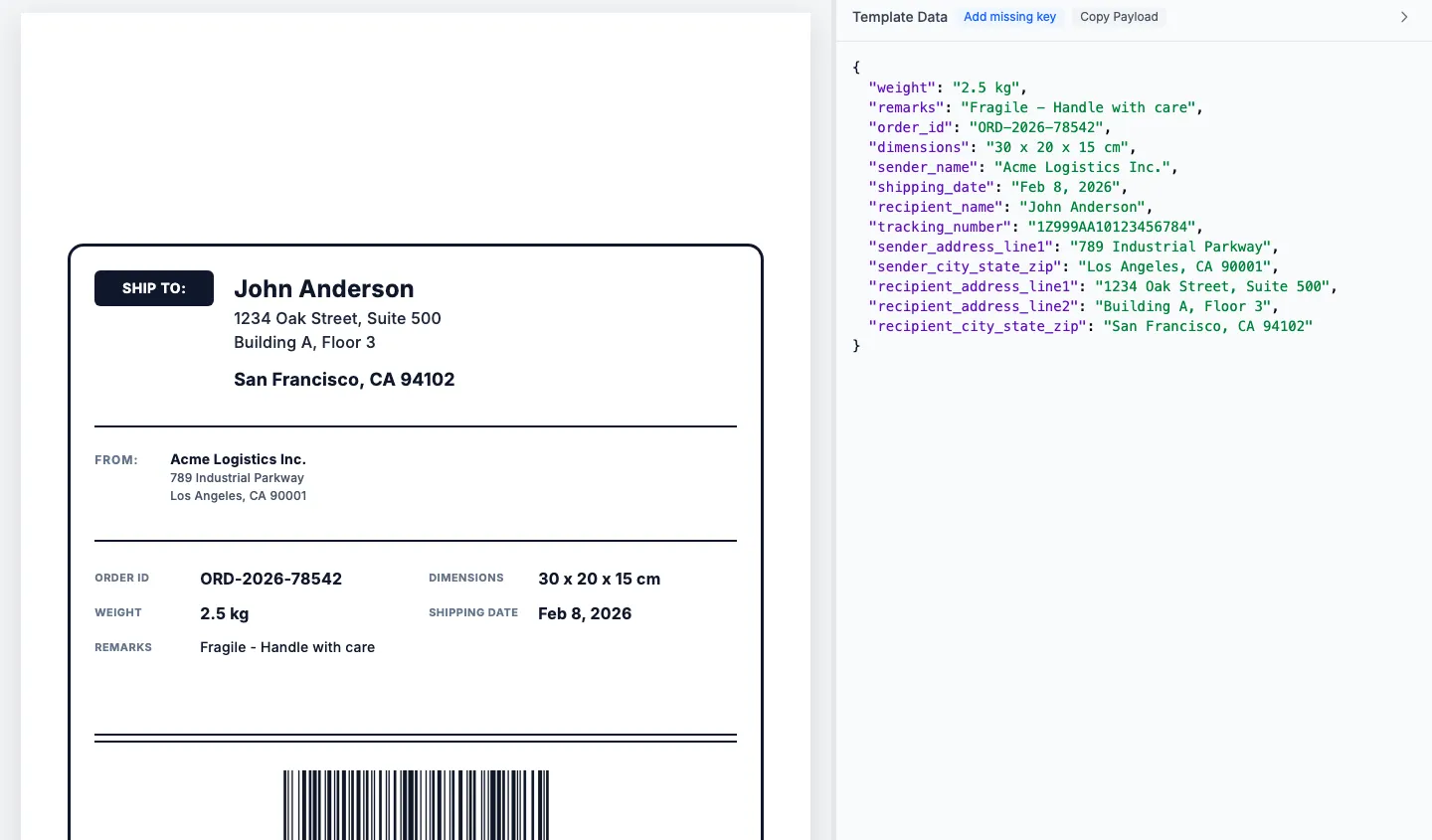
TemplateFox generates the PDF with your order data:
2.4 — Send to warehouse
Add a Merge node to combine both PDFs, then Send Email or save to shared drive:
Result: Each order gets intelligent handling — gift orders get price-free slips, fragile items get special labels. Warehouse receives everything instantly.
