

About the TemplateFox Node
The official TemplateFox community node for n8n lets you generate PDFs from templates with dynamic data. Works synchronously — returns the PDF URL immediately. Compatible with n8n AI Agents.
Why automate labels?
New assets arrive. Someone adds rows to a spreadsheet. Now you need labels with QR codes. Print them, stick them on assets. Tomorrow more assets arrive. Repeat.
With n8n, your inventory database triggers automatic label generation. New rows become printable QR sheets. Done.
The workflow: inventory trigger → build URLs → generate PDF → send to print.
Create your label template
Use a barcode or QR code sheet template. The key is the items array — it auto-repeats labels in a grid.
Template: QR Code Sheet
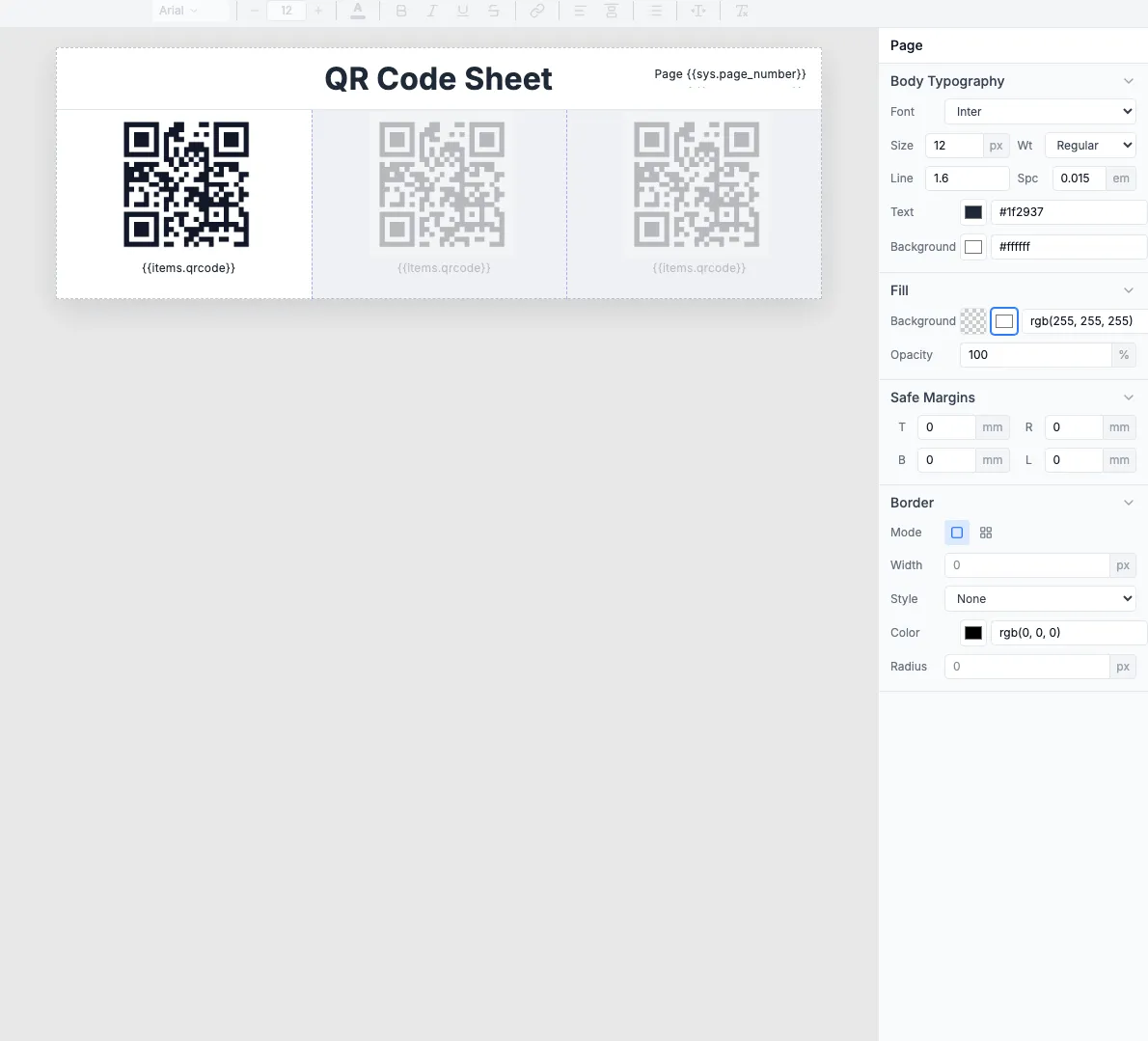
Click a QR code to see its properties. The Content field uses the template variable.
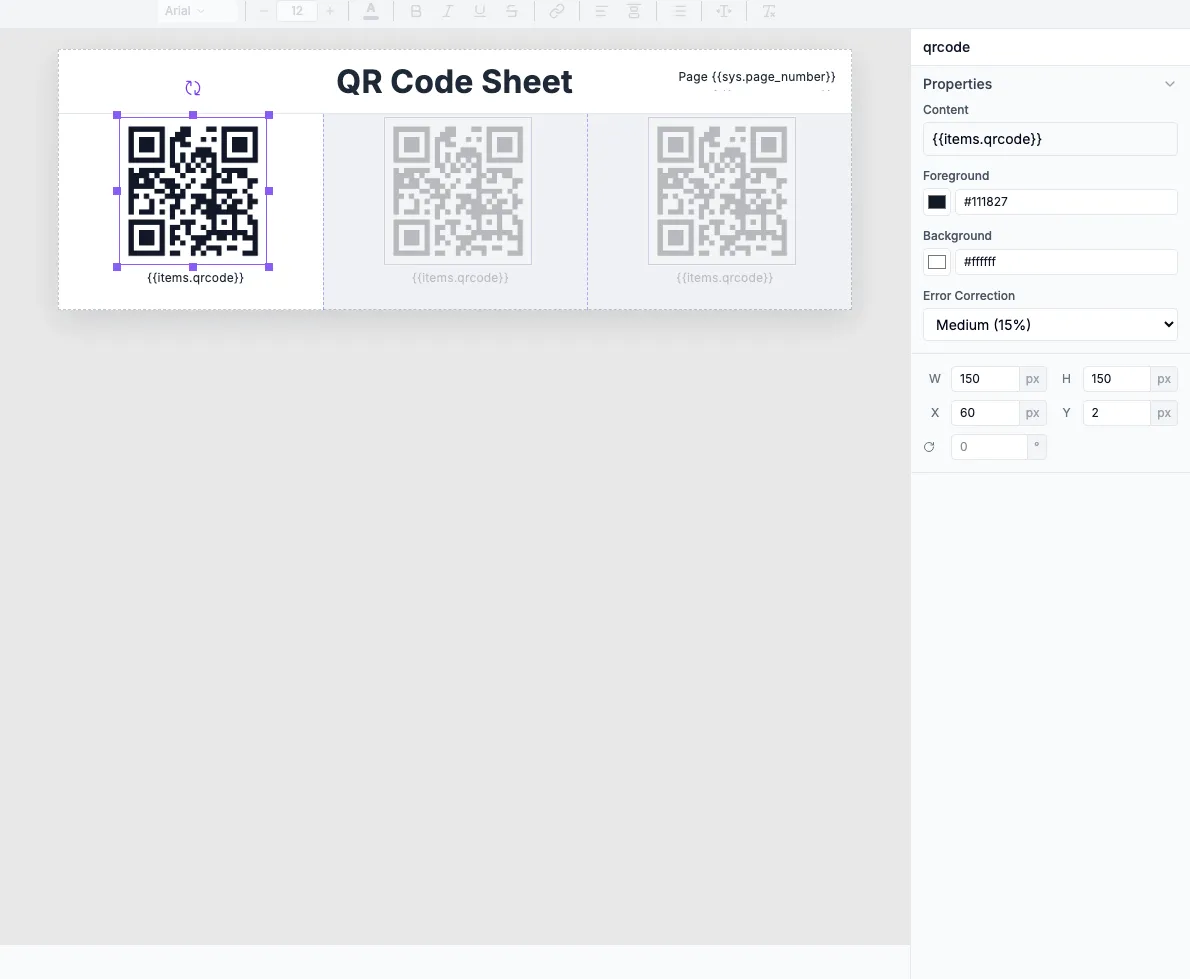
Build the workflow
2.1 — Inventory trigger
Add a trigger for your inventory source:
Airtable Trigger
Watch for new/updated records in your inventory base. Best for structured data.
Google Sheets Trigger
Watch for Row Added or Row Updated.
Notion Trigger
Watch a Notion database for new pages (inventory items).
Schedule Trigger
Run daily/weekly to process all "pending" items in bulk.
Tip: For high-volume inventory, use Schedule trigger + "status" column to batch process unprocessed items.
2.2 — Build tracking URLs
Use a Code node to transform each row into a QR code URL:
2.3 — Batch items
Use an Aggregate node to group items into batches:
- Aggregate items into
itemsarray - Use Split In Batches for multiple sheets
2.4 — Generate label sheet
Add the TemplateFox node:
- Select the QR code sheet template
- Map
itemsarray from aggregated output - Output to Google Drive, email, or print queue
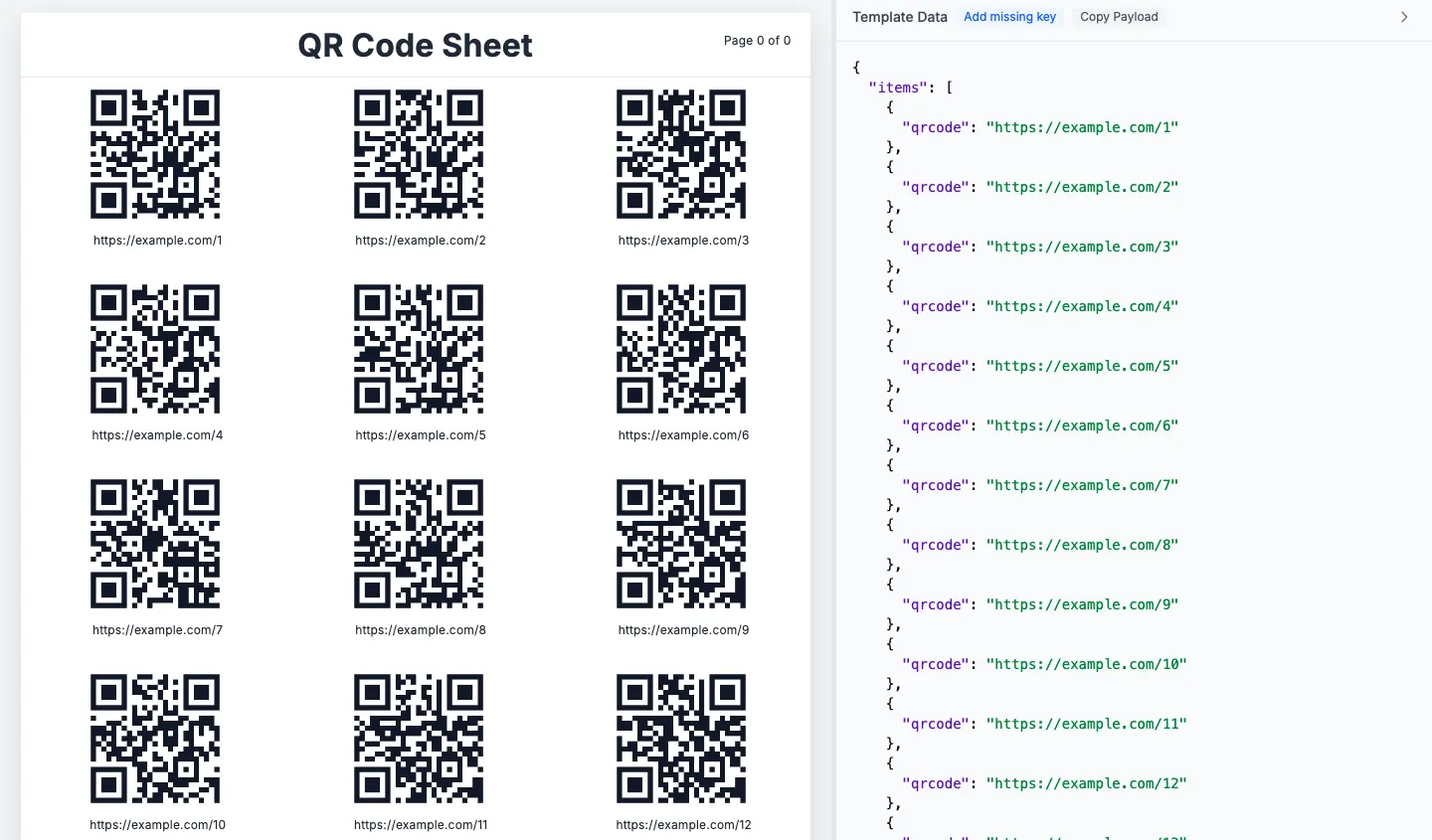
Result: Inventory items automatically become printable QR code sheets.
