

About the TemplateFox Node
The official TemplateFox community node for n8n lets you generate PDFs from templates with dynamic data. Works synchronously — returns the PDF URL immediately. Compatible with n8n AI Agents.
Why automate invoices?
A client emails asking for an invoice. You open their message, copy details into a spreadsheet, format the line items, calculate totals, export to PDF, and email it back. For one client? Manageable. For dozens per week? That's hours gone.
The magic of n8n is you can add AI to the mix. An AI agent reads the email, extracts the billing details, structures them as JSON, and passes them straight to TemplateFox. No manual data entry. No copy-paste errors.
Here's what we're building: a workflow that triggers when you get an email request, uses AI to extract invoice data, generates a branded PDF, and sends it back to the client. Fully self-hosted if you want.
Create your invoice template
1.1 — Choose a template
Start with one of our pre-built invoice templates or create your own:
- Go to Templates
- Filter by Invoice category
- Choose a template that matches your style
- Click Use Template to add it to your dashboard
Template: Professional Corporate Invoice
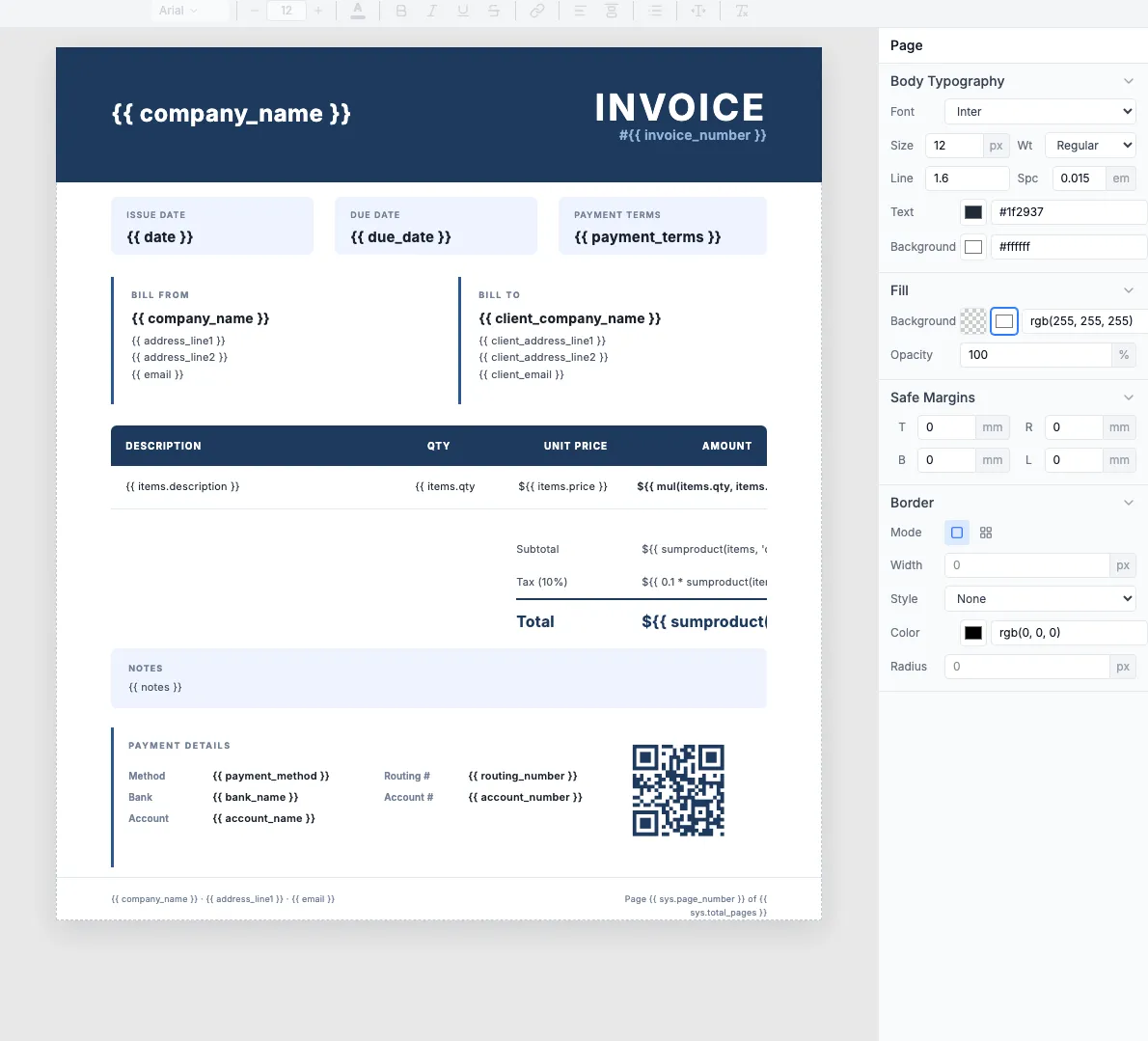
The template includes a QR code for payment. Click it to configure the URL.
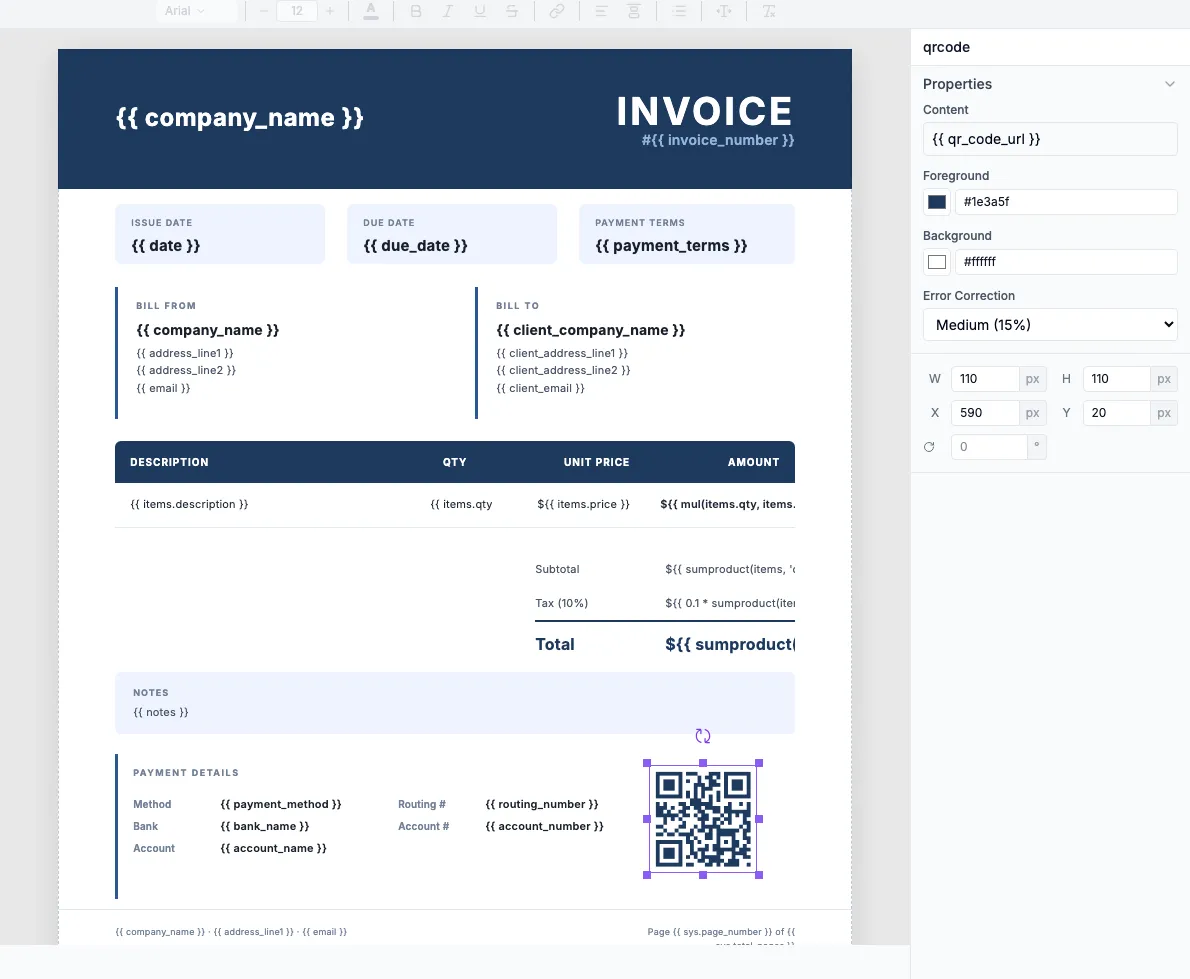
1.2 — Understand the template structure
The template uses dynamic fields that the AI agent will populate. Some you'll hardcode (your company info), others come from AI extraction (client details, line items).
Hardcode once (your company)
company_nameaddress_line1,address_line2bank_name,account_number
AI extracts (per invoice)
client_company_nameclient_address_line1items[](array)payment_terms
Learn more: Expressions · Data Binding · Tables
1.3 — Test with sample data
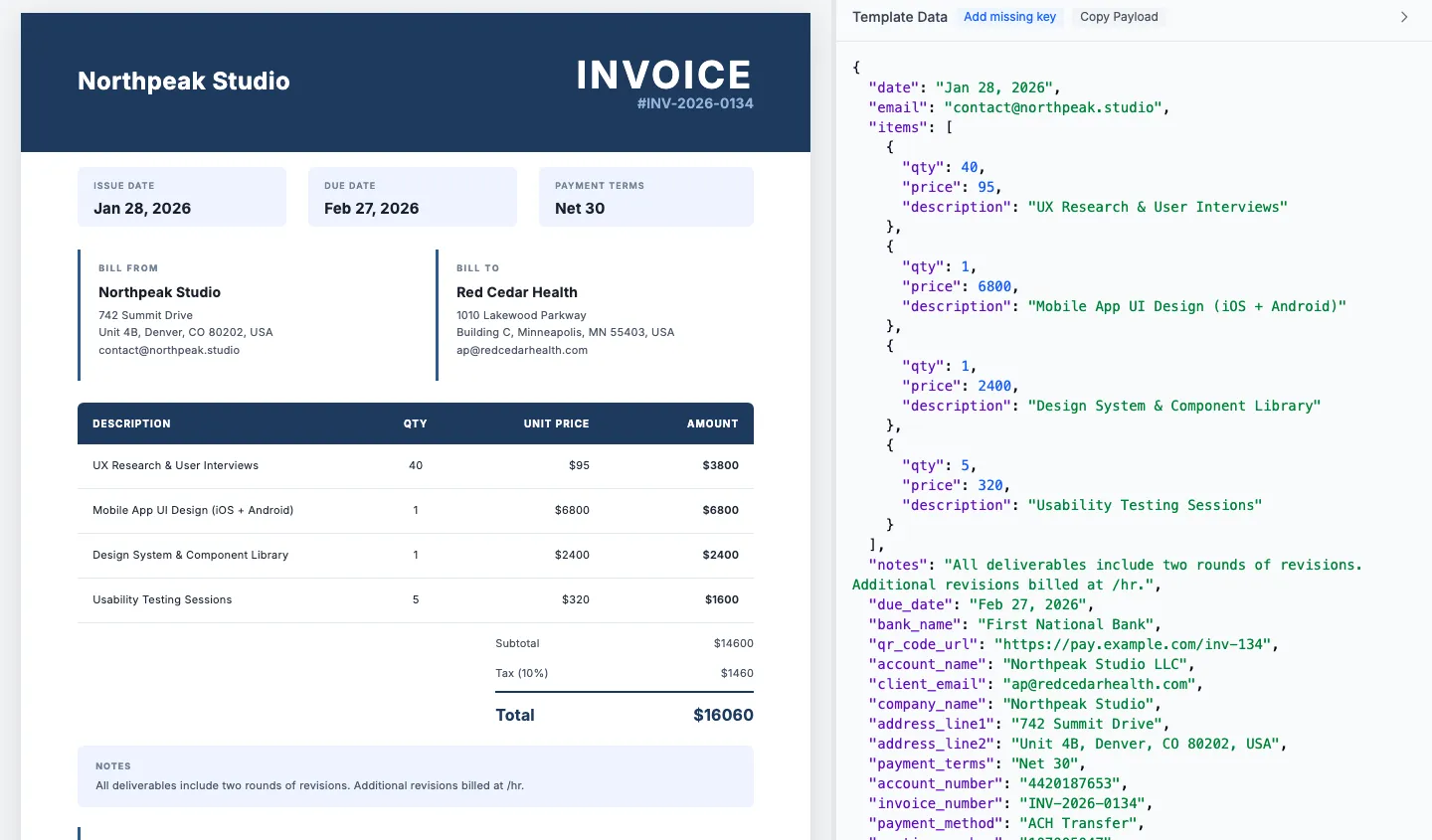
Use the Preview tab to test your template with sample JSON before connecting n8n. This JSON structure is exactly what your AI agent will output.
Tip: Copy the JSON structure from the Preview tab. You'll use it as an example in your AI agent prompt.
Build the n8n workflow
The complete workflow: Email arrives → AI extracts data → TemplateFox generates PDF → Email sends it back.
2.1 — Set up email trigger
Use the Email Trigger (IMAP) node to watch for incoming invoice requests:
- Add an Email Trigger (IMAP) node
- Configure your email credentials (Gmail, Outlook, or any IMAP server)
- Set the mailbox to watch (e.g.,
invoices@yourcompany.com) - Optionally filter by subject line (e.g., contains "invoice request")
Alternative triggers: Webhook, Form submission, or schedule-based polling.
2.2 — Add AI Agent for data extraction
The AI agent reads the email and extracts structured invoice data. Add an AI Agent node and configure the prompt:
Choose your LLM
OpenAI GPT-4, Anthropic Claude, or local models via Ollama.
Pass email content
Map {{ $json.text }} from the email trigger to the AI input.
Parse the output
The AI returns JSON that flows directly to the next node.
2.3 — Add TemplateFox node
Add the TemplateFox node to generate the PDF:
- Add a TemplateFox node
- Select Generate PDF operation
- Choose your invoice template
- Map fields from the AI output:
- •
client_name→{{ $json.client_name }} - •
items→{{ $json.items }}
- •
Note: Hardcode your company details directly in the field mappings. They don't need to come from the AI.
2.4 — Send via email
Add a Send Email node to deliver the invoice:
- Add a Send Email node (Gmail, SMTP, etc.)
- Set recipient to the original sender's email
- Attach the PDF from TemplateFox output
- Activate your workflow
Done. Email comes in → AI extracts data → PDF generates → Invoice sent. All automatic.
Supported platforms
Any trigger that provides text content works. Common sources for invoice requests:
