Generate PDFs in Your
FlutterFlow App

Add professional PDF generation to your FlutterFlow mobile and web apps. Create invoices, certificates, reports — no code required.

FlutterFlow
FlutterFlow
TemplateFox
PDF

Three steps, then it runs itself

Design a template, configure an API call, generate PDFs from your app.

1

Design your template

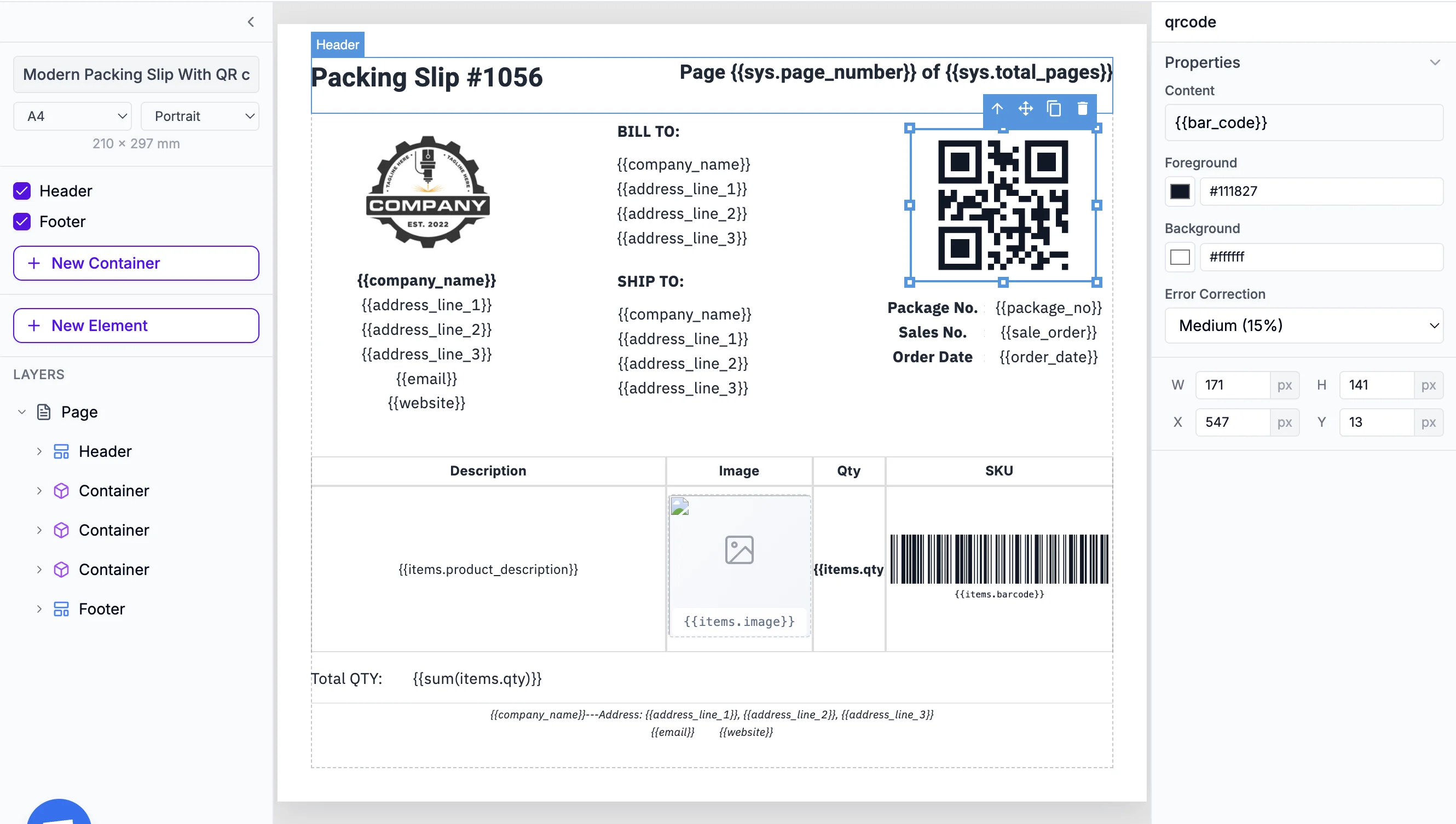
Use our drag-and-drop editor and add dynamic fields like {{name}} or {{invoice_total}}.

2

Create an API Call

In FlutterFlow, create a POST request to the TemplateFox API. Map your app data to template variables.

3

Receive your PDF

Get your PDF URL instantly. Display in a WebView, download, or share via the native share sheet.
Precision Engineering
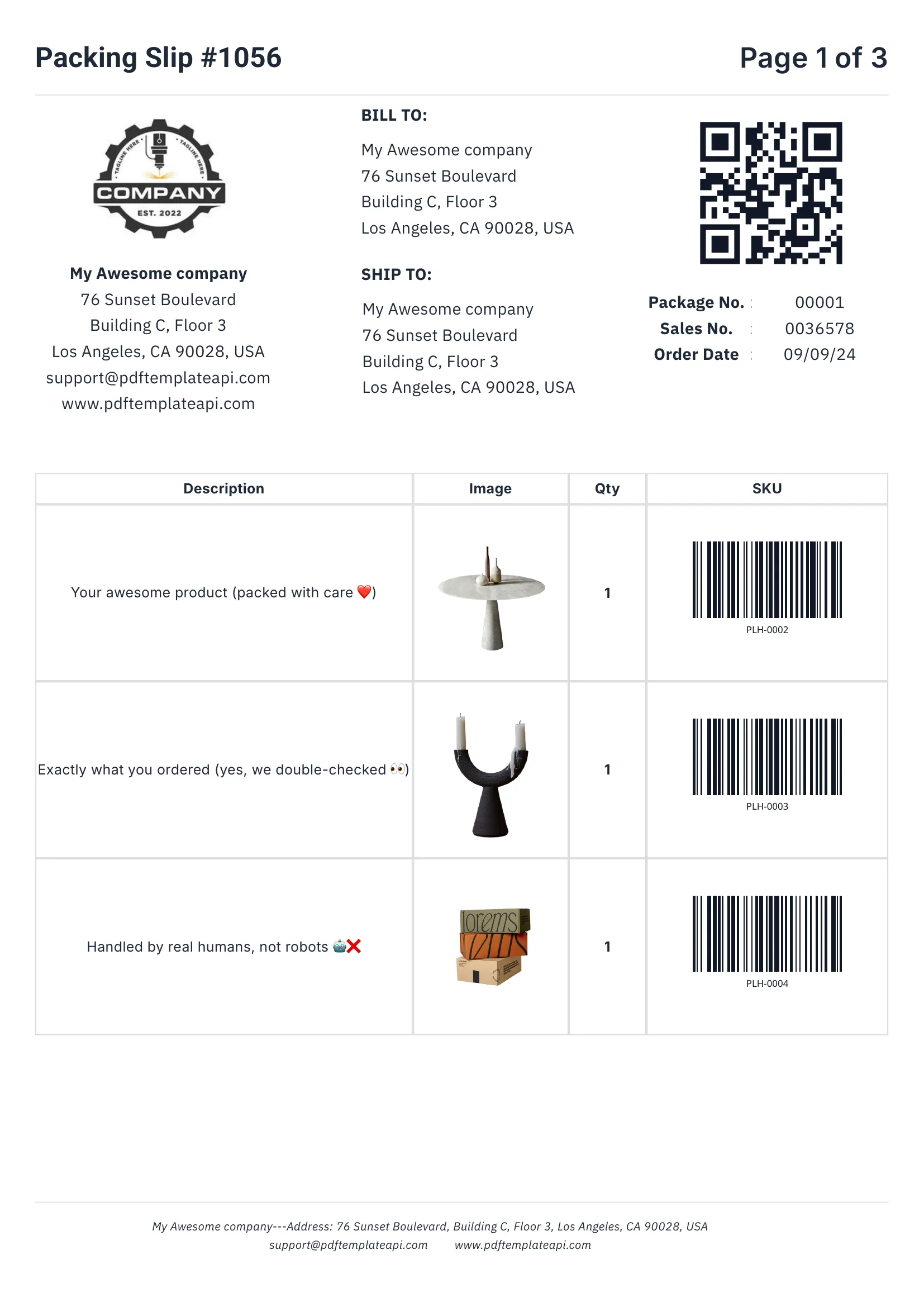
PDF template example - Packing Slip
1
2
3
4

Built for real-world documents

Everything you need to create professional business documents, from invoices to packing slips.

1

Headers & footers that just work

Define once, repeat on every page automatically. Perfect for logos, page numbers, and legal mentions.

2

Dynamic data binding

Inject any data into your templates. Names, addresses, prices, etc. — everything updates automatically.

3

Tables that grow with your data

Rows grow automatically with your data. 3 items or 300, the table adapts and spans multiple pages if needed.

4

Built-in QR codes & barcodes

Generated on the fly from your data. Supports Code128, EAN-13, QR codes and more — all scanner-ready.

Try it free

60 free PDFs/month

Easy to use

Documents that adapt to your data

Go beyond simple placeholders. Use expressions to format, calculate, and control your content.

1

Use system variables

Access page numbers, total pages, and current date and more automatically with {{sys.page_number}} and friends.

2

Customize every component

Fine-tune content, borders, colors, sizes, positions, and more. Each element has its own properties panel.

3

Built-in functions

Format dates, calculate totals, round numbers, and more. Use 100+ built-in functions or create your own.

Start building

No credit card required

Template editor with expressions
1
2
3
Step-by-step guide

Learn how to integrate

Follow our detailed tutorial to add PDF generation to your FlutterFlow app.

Cloud storage

Built-in S3 Integration

Save your generated PDFs directly to Amazon S3 or any S3-compatible storage (Cloudflare R2, MinIO, DigitalOcean Spaces). No extra FlutterFlow actions needed.

Learn how to bring your own storage

Is FlutterFlow right for you?

FlutterFlow is perfect for cross-platform mobile and web apps. Here's how to decide.

Recommended
FlutterFlow

Use FlutterFlow if you need:

  • Building mobile apps (iOS + Android)
  • Cross-platform web + mobile from one codebase
  • No-code app development with visual builder
  • Firebase/Supabase backend integration

Or consider:

Bubble
Bubble
  • Web-only applications
  • More complex database workflows
REST API
  • Full code control needed
  • Custom Flutter development

Frequently asked questions

How does the TemplateFox and FlutterFlow integration work?

TemplateFox connects to FlutterFlow via API Calls. You configure an HTTP POST request to our API in FlutterFlow's API Call settings. When triggered (button tap, form submit, etc.), FlutterFlow calls TemplateFox and receives a PDF URL you can display, download, or share.

Do I need any coding experience to set up this integration?

No coding required. FlutterFlow's visual API Call builder lets you configure everything point-and-click. You'll set up the endpoint URL, add your API key as a header, and map your app state or Firestore data to the request body — all without writing code.

How do I connect TemplateFox to my FlutterFlow app?

First, get your API key from your Dashboard. In FlutterFlow, go to API Calls, create a new API call, and add a header: X-API-Key: your-key. Then configure a POST call to https://api.pdftemplateapi.com/v1/pdf with your template_id and data.

Can I generate PDFs from Firebase or Supabase data?

Yes! That's a common use case. You can pass any data from Firestore, Supabase, or your app state directly to TemplateFox. Use FlutterFlow's variable system to map your backend data to template variables in the API call body.

Does it work on both iOS and Android?

Absolutely. Since PDF generation happens via API, it works identically on iOS, Android, and web. Your FlutterFlow app makes the same API call regardless of platform, and you get the same PDF URL back.

Can I generate images as well as PDFs?

Yes! TemplateFox supports both PDF and PNG output formats. Simply set the output format parameter in your API call. This is perfect for generating social media graphics, product images, or document thumbnails from your FlutterFlow app.

What triggers can I use to generate PDFs in FlutterFlow?

Any FlutterFlow action trigger works: button taps, form submissions, page loads, conditional triggers, or scheduled functions. Add the API Call action to any widget or event, and the PDF generates when that action runs.

What are common use cases for TemplateFox with FlutterFlow?

Popular use cases include: Mobile Invoicing (generate invoices on-the-go), Certificates (create completion certificates for courses), Receipts (produce receipts after in-app purchases), Reports (generate PDF reports from app data), and Booking Confirmations (send confirmation PDFs for reservations).

How fast is PDF generation?

Most PDFs generate in under 2 seconds. The API returns a PDF URL immediately, so your FlutterFlow app can continue without delays. You can display the PDF in a WebView, trigger a download, or share via the native share sheet.

Automate your PDF generation

Complete documentation, no-code integrations, and a powerful API to help you generate PDFs at scale. Let us handle the boring stuff.